Overview
Match remittance advices to Xero invoices in seconds, not hours
If your customers pay in lump sums covering dozens, or hundreds, of invoices, you know the pain. A payment lands, then comes the remittance advice (PDF, Word, Excel, CSV or email), then someone spends an hour cross-referencing line items and allocating the payment by hand in Xero.
RemitClear ends that. Upload or forward the remittance advice and AI reads every line, matches it against your open Xero invoices, and posts the payment with the document attached for audit. No templates, no manual matching.
What RemitClear does
- AI invoice extraction: Drop in any remittance advice, any layout, any payer. RemitClear reads it and finds every invoice number, no templates required.
- Beats Xero's 200-invoice batch payment limit: Larger remittances are split into sequential batch payments automatically.
- Built for high volume: Match one payment against 5, 50 or 500+ invoices in a single upload, including part payments, overpayments, credit notes and deduction codes.
- Matches how your customers actually pay: If a payer quotes PO numbers, voucher IDs or their own reference codes instead of your invoice numbers, RemitClear still finds the match.
- Auto-match and email forwarding: Clear high-confidence remittances without review, and forward documents straight from your inbox for hands-off cash application.
- Full audit trail: The original remittance is attached to each posted invoice and to the batch payment in Xero.
Who RemitClear is for
- Bookkeeping and accounting practices matching remittance advices across many Xero clients. One setup, every client benefits.
- B2B and wholesale businesses receiving high volumes from a few large customers.
- Grocery and FMCG suppliers reconciling multi-page supermarket remittances.
- Recruitment and labour-hire firms running several Xero entities.
- Construction firms reconciling progress claims and retentions.
- NDIS providers and plan managers processing bulk remittances from the NDIA and the major plan managers.
Proven at volume
The largest single remittance RemitClear has posted to Xero carried 1,076 invoice lines and cleared in one batch. Across live Xero organisations it has posted more than 42,000 invoice lines to date.
Native Xero integration via OAuth. Run multiple Xero organisations from one workspace. Every plan includes a 30-day money-back guarantee.

RemitClear + Xero
RemitClear + Xero: end-to-end remittance advice processing
RemitClear connects to Xero via OAuth2 to automate cash application from start to finish: reading remittance advices, reconciling them against your open invoices, and posting the payment.
How the integration works
- Connect your Xero organisation. Secure OAuth2 with standard scopes. Multi-org users connect every entity from one RemitClear account.
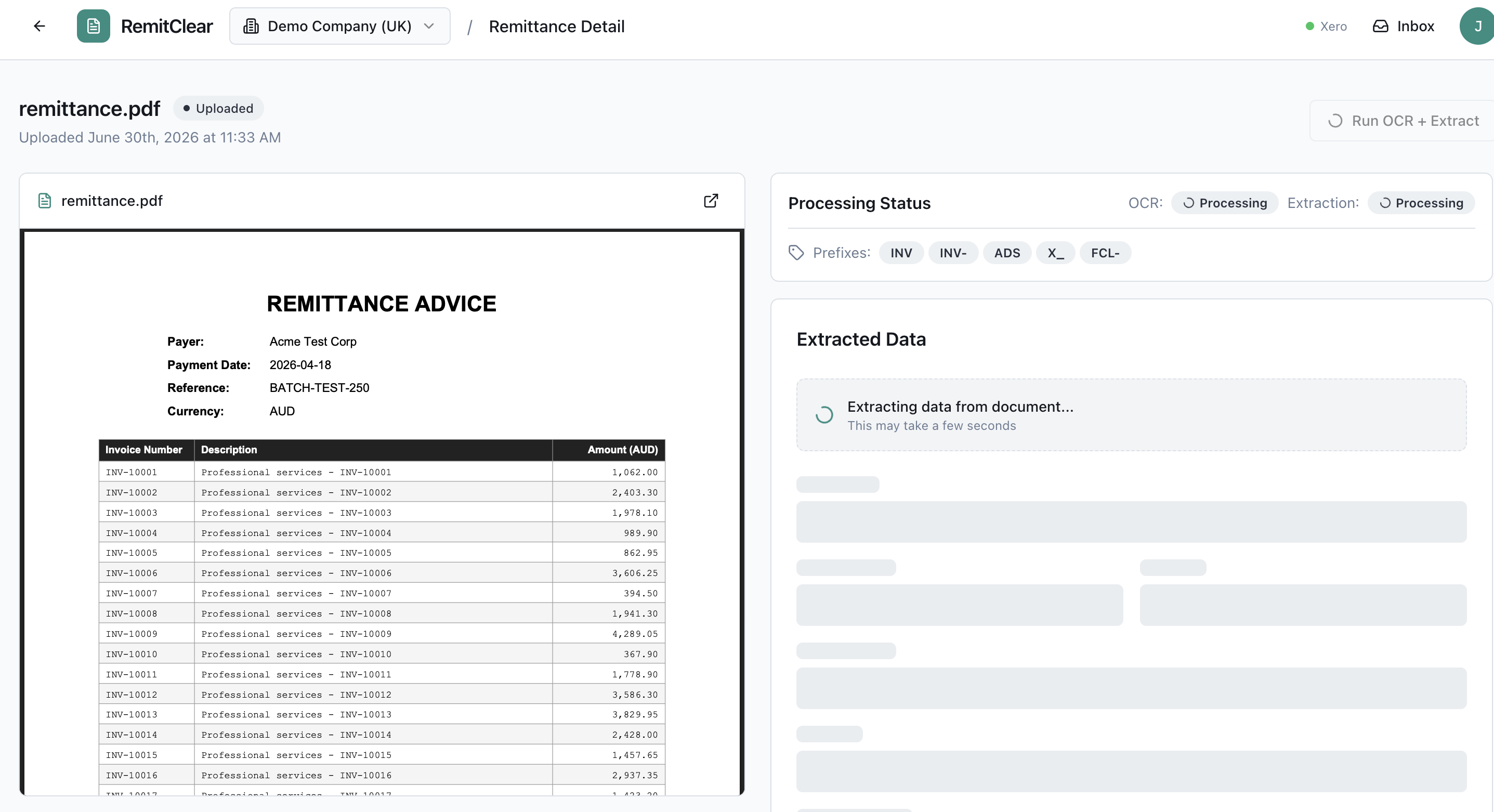
- Upload or forward a remittance. RemitClear extracts the payer, date, reference, total and every invoice number from PDF, Word, Excel, CSV or the email body itself, including long multi-page documents. Forward straight from your inbox for hands-off processing.
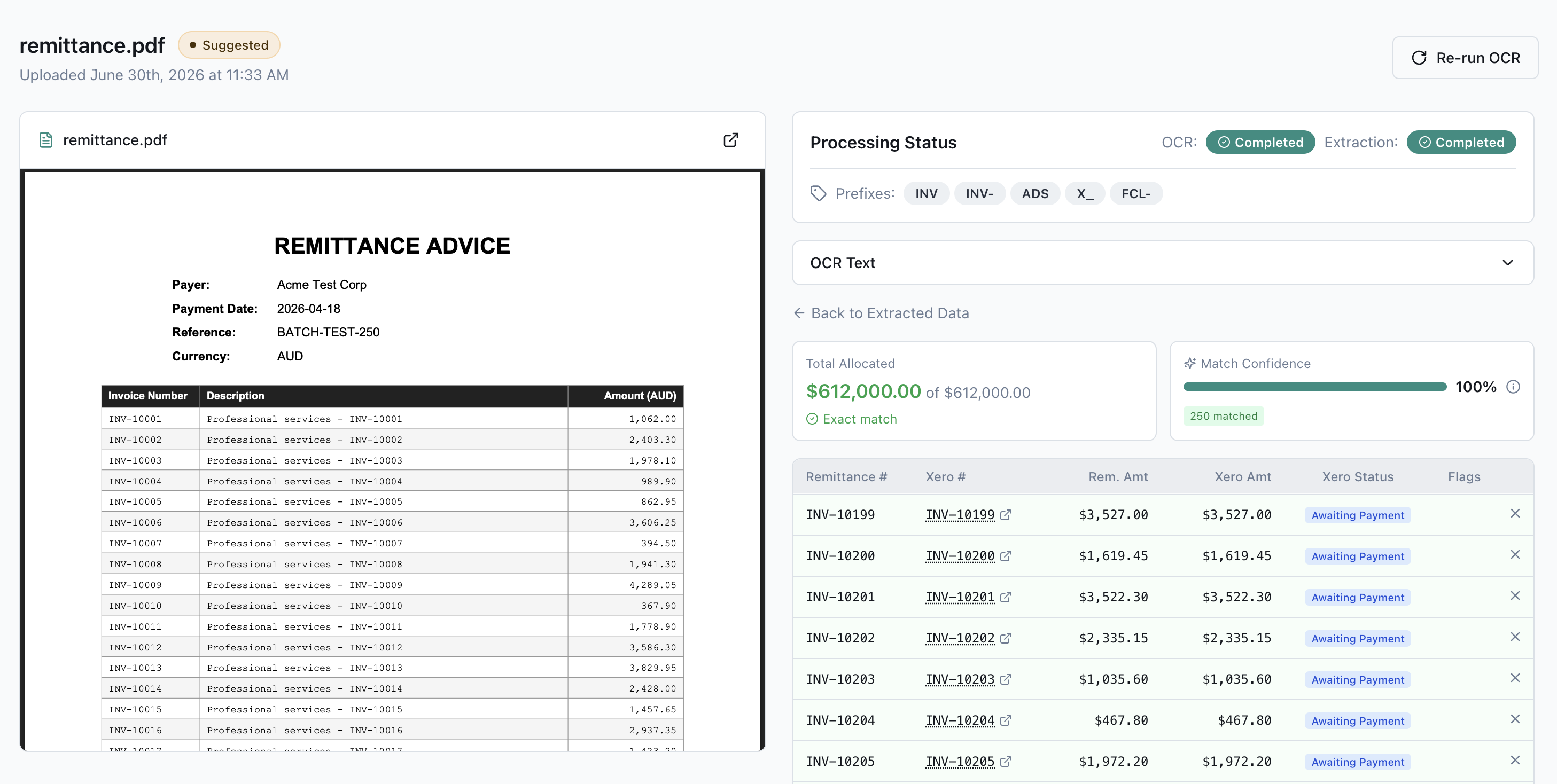
- Match against Xero. We pull your open AR invoices and match each line: exact invoice numbers first, then partial matches, PO numbers and payer reference codes. Already-paid invoices are flagged so you never post a duplicate.
- Review in one screen. See the document, extracted data and suggested allocations side by side. Edit, add or remove invoices, or search Xero contacts to allocate manually.
- Post to Xero in one click. Choose a single batch payment that matches your bank deposit for one-line bank reconciliation, or separate payments per invoice. Remittances over Xero's 200-invoice batch payment limit are split automatically.
- Keep your audit trail. The original remittance advice is attached to each posted invoice and to the batch payment, so the evidence sits on the bank transaction too.
Key features
- No templates: AI extraction works on any remittance advice layout from any payer.
- Confidence-scored matching combining amount reconciliation and invoice-number quality.
- Auto-match on high-confidence remittances for high-volume teams.
- Credit notes handled: credit notes on the remittance are applied to their invoices in Xero before the net payment posts.
- Native posting via Xero's Payment and BatchPayment endpoints, with auto-split over 200 invoices.
- Email forwarding for hands-off, multi-entity processing.
- Duplicate detection via file hash, so the same remittance is never processed twice.
- Multi-entity support for practices and groups running several Xero orgs.
Data sync: invoices, contacts and bank accounts are read on demand from Xero. Payments, batch payments and attachments are written back in real time. Tokens refresh automatically, and nothing posts without your approval on the review screen.
Pricing plans
Custom monthly plan
- Price based on documents, invoice lines and Xero organisations
- Unlimited users and onboarding on your own remittance advice
- Email forwarding, extraction, matching and payment posting
- Review exceptions; optional auto-posting for perfect matches
- Separate workspace and settings for each Xero organisation
- 30-day money-back guarantee for new paying customers
Getting started
Live in about five minutes
Nothing to install, no templates to build, no IT project.
Step 1: Connect Xero
Authorise through the standard Xero OAuth flow. RemitClear reads your invoices and contacts and posts payments back, and never sees your Xero password. It takes about 30 seconds. Running several Xero organisations? Connect them all to one workspace.
Step 2: Send a remittance
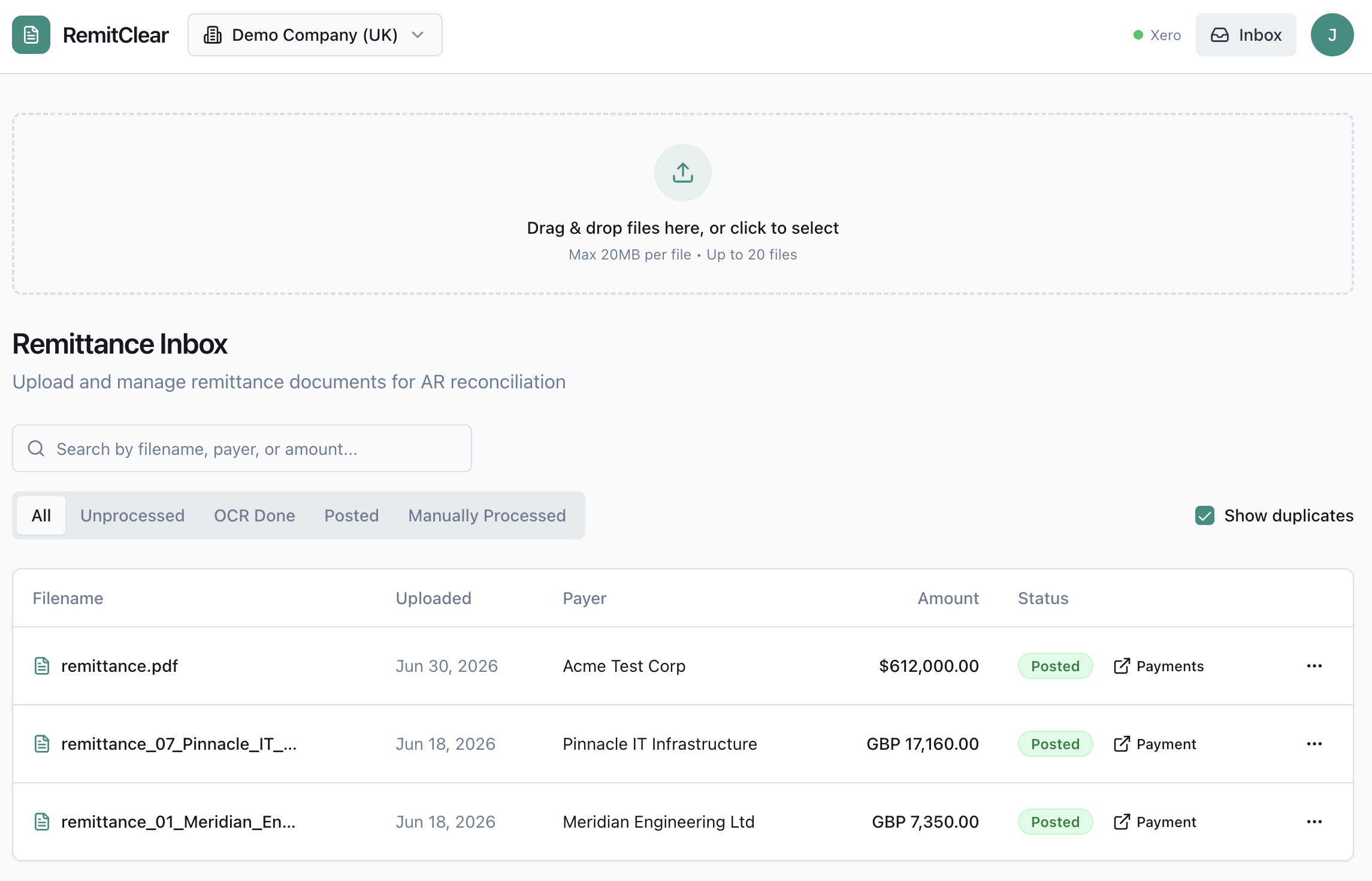
Drag and drop a PDF, Word, Excel or CSV, or forward the remittance email to your dedicated RemitClear address. That is the whole setup. A standard remittance is matched in under 10 seconds, and 600+ line documents post in under a minute.
Step 3: Approve it, or let it post itself
Matched invoices appear beside the original document, so approving is one click. Once your first remittances are matching cleanly we switch on automatic matching, and RemitClear clears high-confidence remittances and posts them into Xero without you opening them at all.
Tune it later, if you want to
- Invoice prefixes: tell RemitClear what your invoice numbers look like (INV-, PCI-, RC-) to sharpen extraction on unusual formats.
- Default bank account: set which Xero account payments post against, or choose it at the moment you post.
- Multi-entity routing: send each payer to the right Xero organisation automatically.
Every one of these has a working default. You can process remittances from day one without touching any of them.
Onboarding: every new customer gets a live setup call using your own remittances. Send two or three across beforehand and we pre-test them, so the call covers your actual workflow rather than a generic tour. Most customers post their first live remittance on the call, and support afterwards is direct with the founder.