

Overview
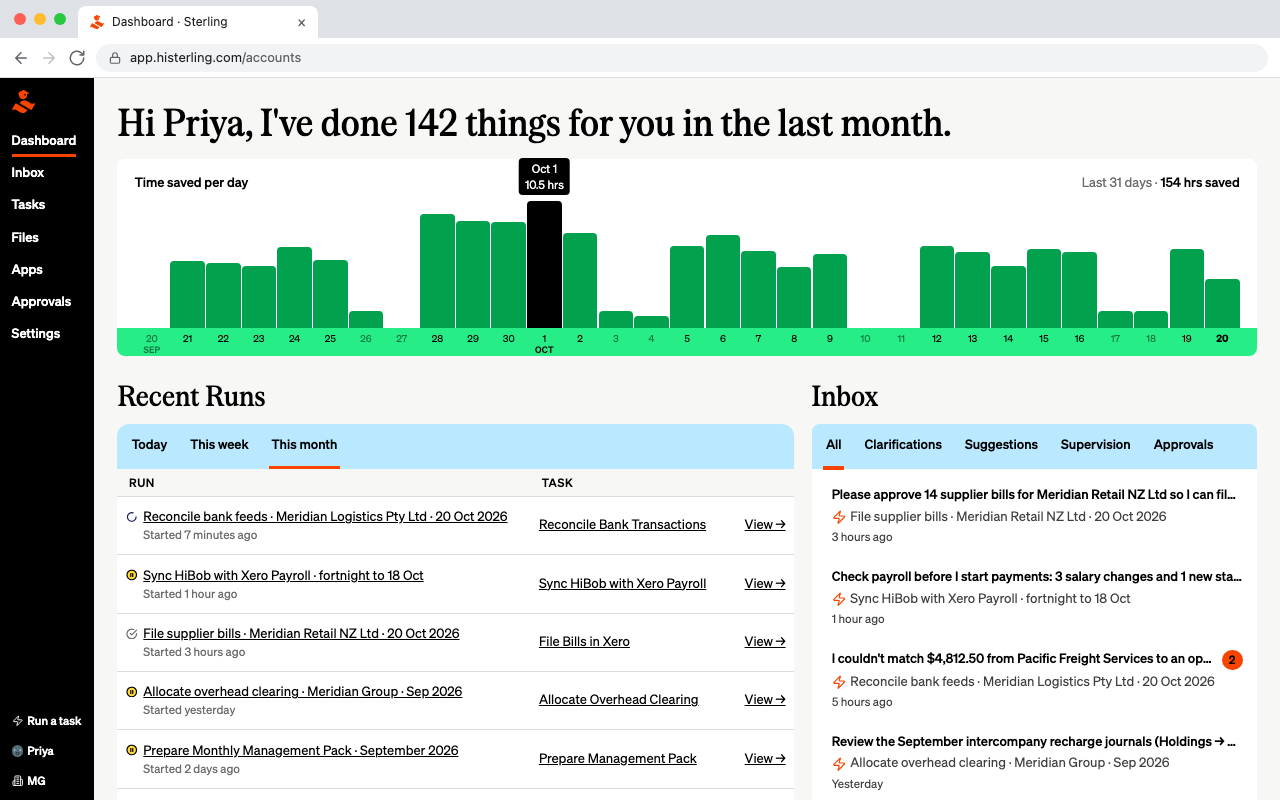
Your finance team has better things to do than repeat the same accounting tasks every week. Sterling works with Xero and the other tools your team already uses to take on that work, following your processes and bringing people in only when their judgement is needed.
What Sterling can do with Xero
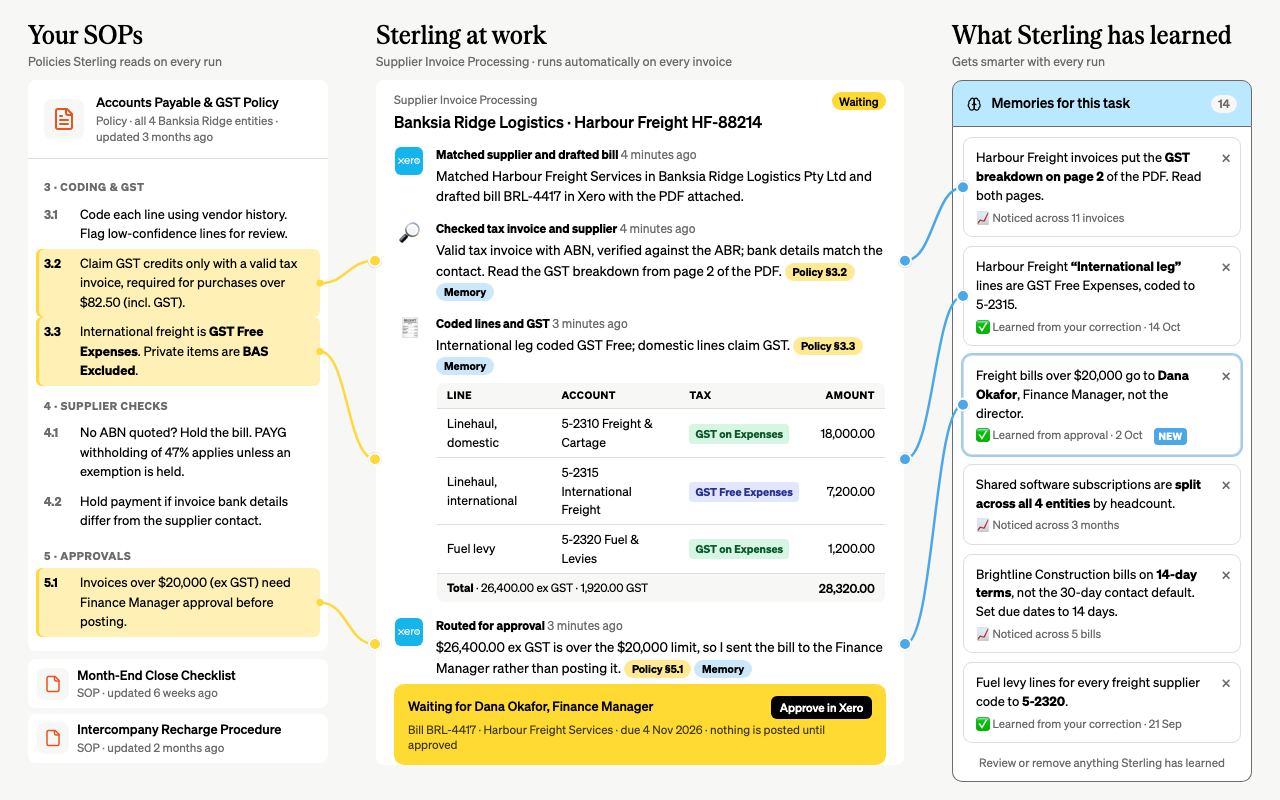
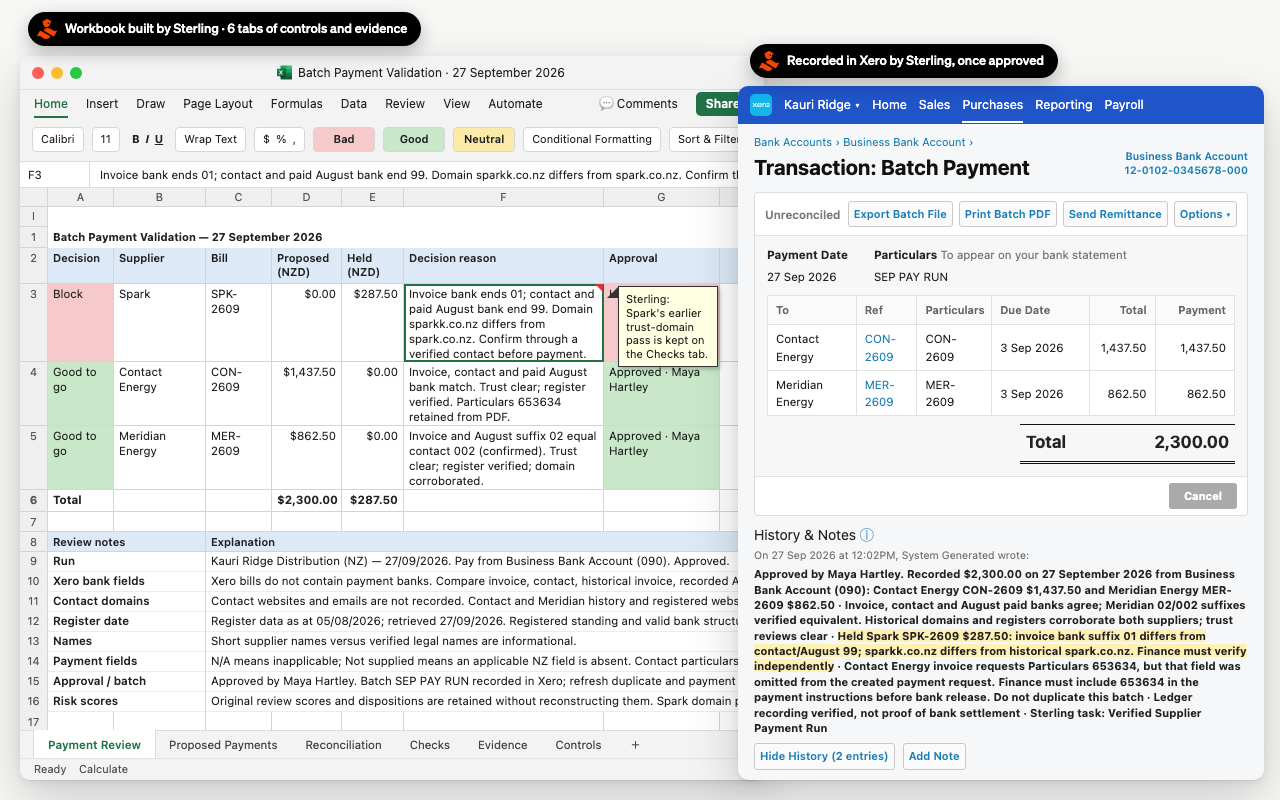
• Handle messy accounts payable. Pick up supplier invoices from your inbox, work out which entity each bill belongs to and code it based on how you've handled that supplier before.
• Reconcile complex payments. Match a single payment processor payout against hundreds or thousands of invoices, account for fees and reconcile the result in Xero.
• Run your recurring billing. Pull information from your CRM or billing systems, create and send customer invoices on schedule and handle intercompany charges.
• Take on month-end reconciliations. Reconcile balances across your accounting, payroll and inventory systems, identify discrepancies and prepare the journals needed to close.
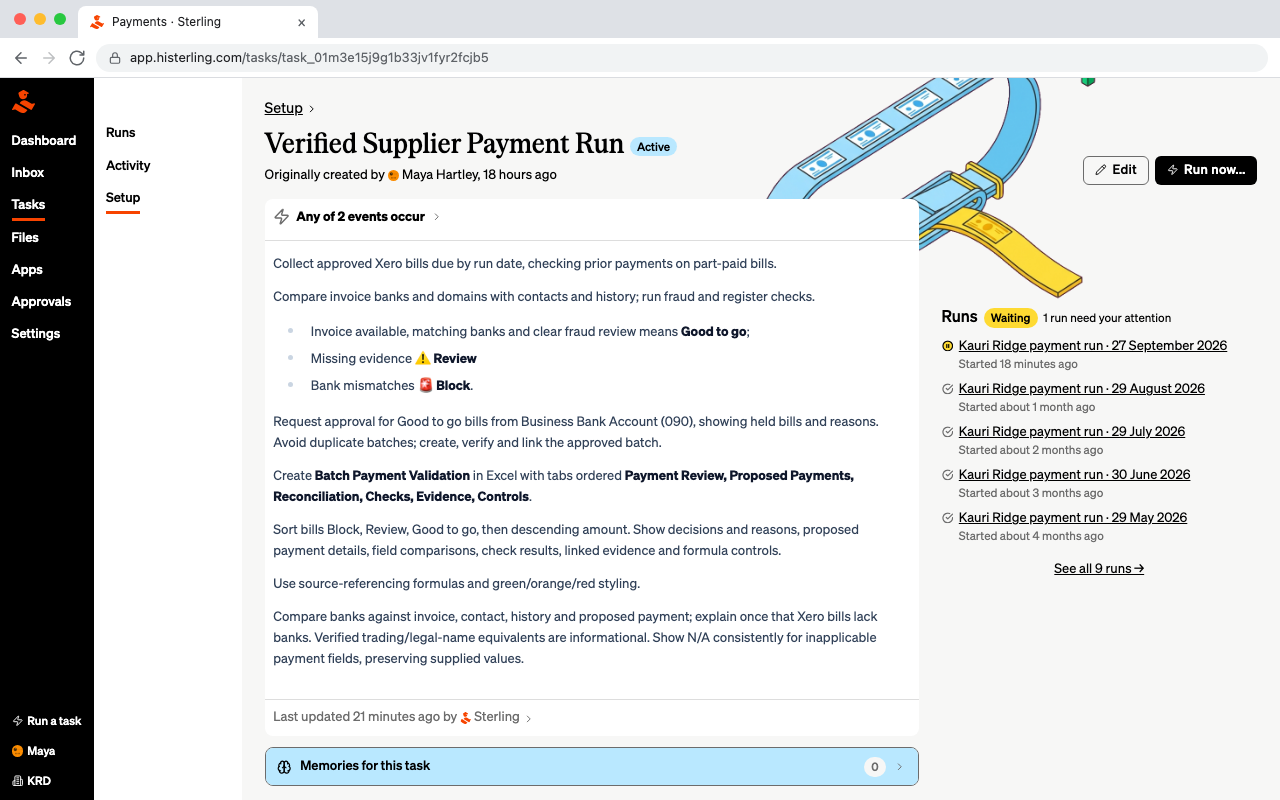
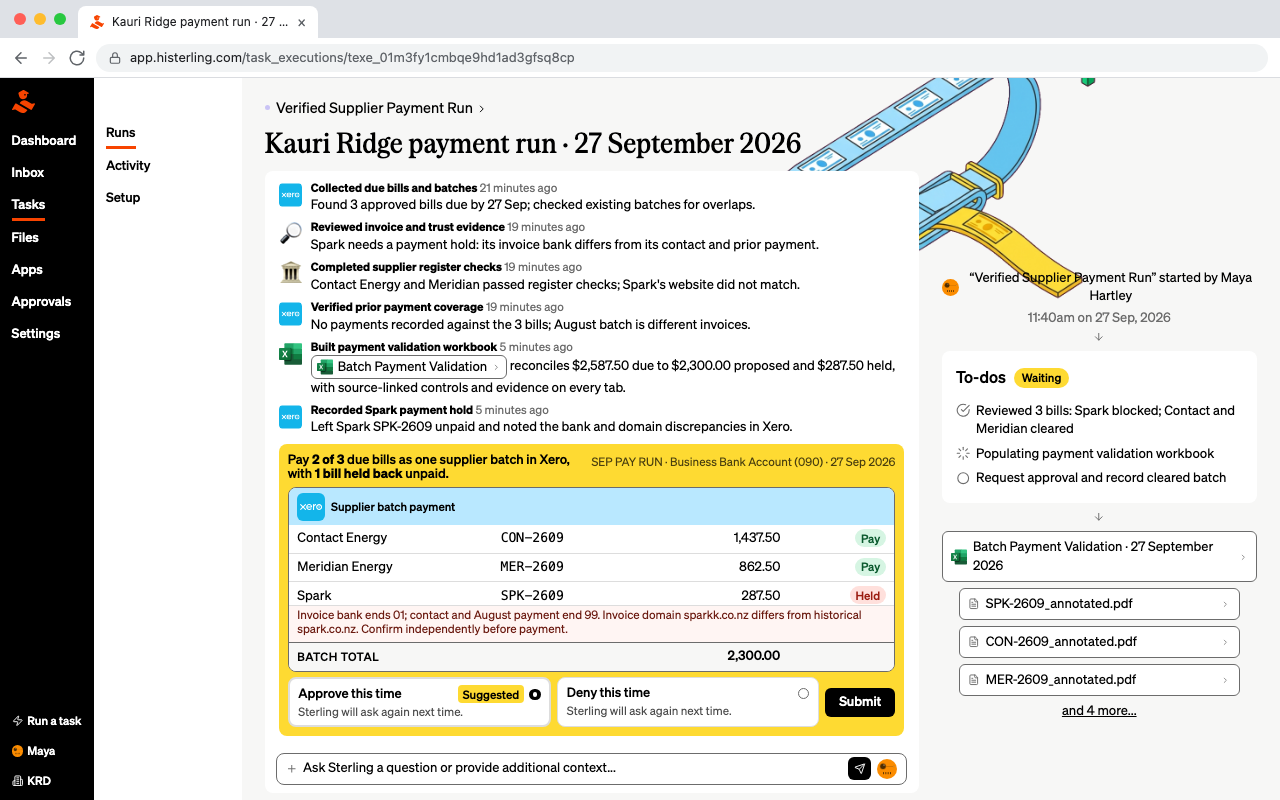
• Follow your own accounting rules. Allocate costs between departments or entities, complete unusual checks and work with the spreadsheets and processes your team already relies on.
Sterling + Xero
Got a job that seems too hard to automate?
Handwritten notes, 30-tab spreadsheets, unusual checks or processes only your team understands. Sterling is built to handle the messy finance work that traditional automation tools struggle with.
Every finance team has those jobs that keep coming around, but never quite fit into a standard workflow. Sterling helps take those jobs off your team's plate, even when they involve multiple systems, exceptions and judgement calls.
Start with one job that takes time from your team each week. Once it's running, give Sterling the next one.
Pricing plans
Sterling 1 FTE
- 160 hours of finance work a month (1 FTE)
- Add capacity in 0.5 FTE steps whenever you need it
- Billed monthly: scale up for busy periods, down when quiet
- Bills, bank recs, accruals, collections and reporting
- Onboarding led by a Sterling team member who is a CA
Getting started
- Select Get this app and connect the Xero organisation you want Sterling to work with.
- Choose one finance job to start with and connect the other sources it needs, such as an inbox or CRM.
- Show Sterling your rules and confirm when your team should review or approve the work.
- Run the first job, review the result and add another process when you are ready.
Sterling's team can help you choose and set up the first workflow.
Reviews & ratings
Sort and filter
Most recent reviews
Game Changer
Response from Sterling
Highly recommend - don't sleep on this tool
Response from Sterling