Overview
ClearSpend AI helps finance and accounting teams close their books faster by automating transaction-to-document reconciliation.
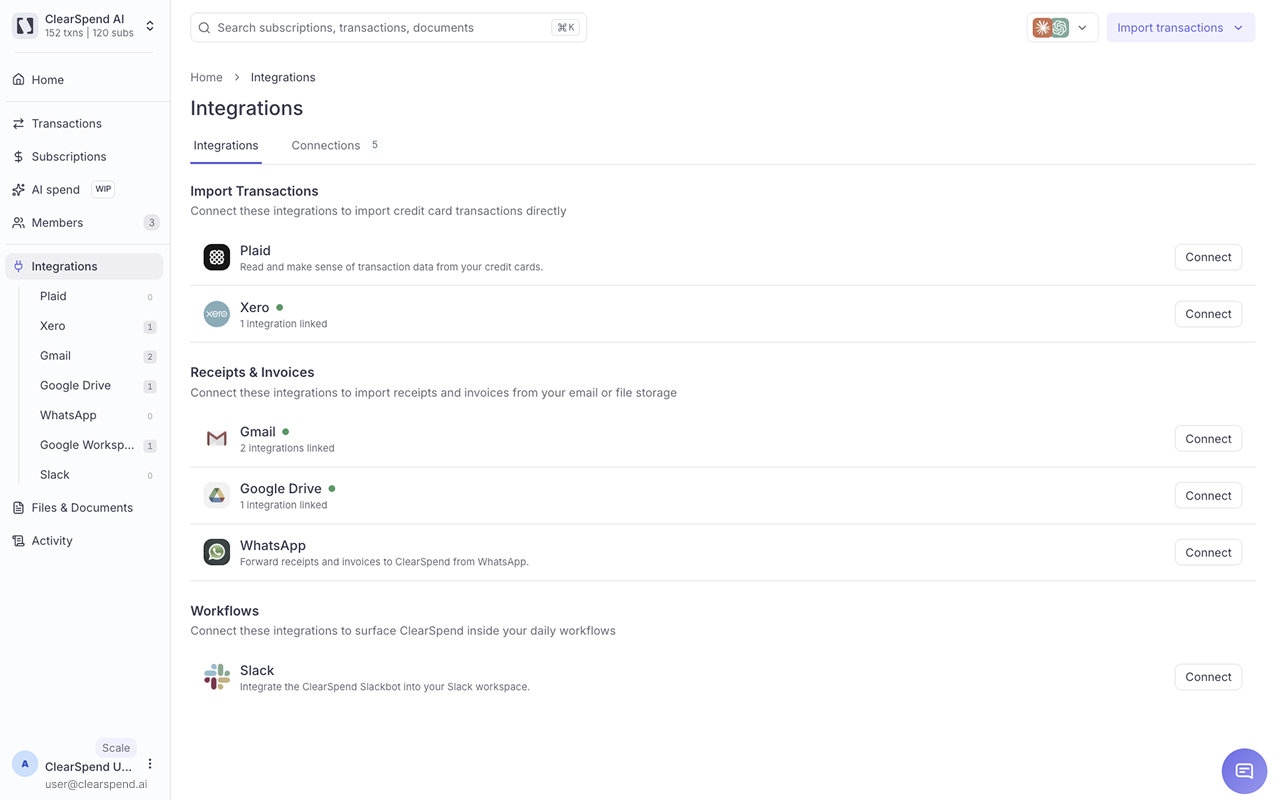
Bring transactions into ClearSpend from Xero, Plaid-connected accounts, or uploaded card statements. ClearSpend then collects supporting invoices and receipts from sources such as Gmail, Google Drive, and manual uploads, and automatically matches them to the right transactions.
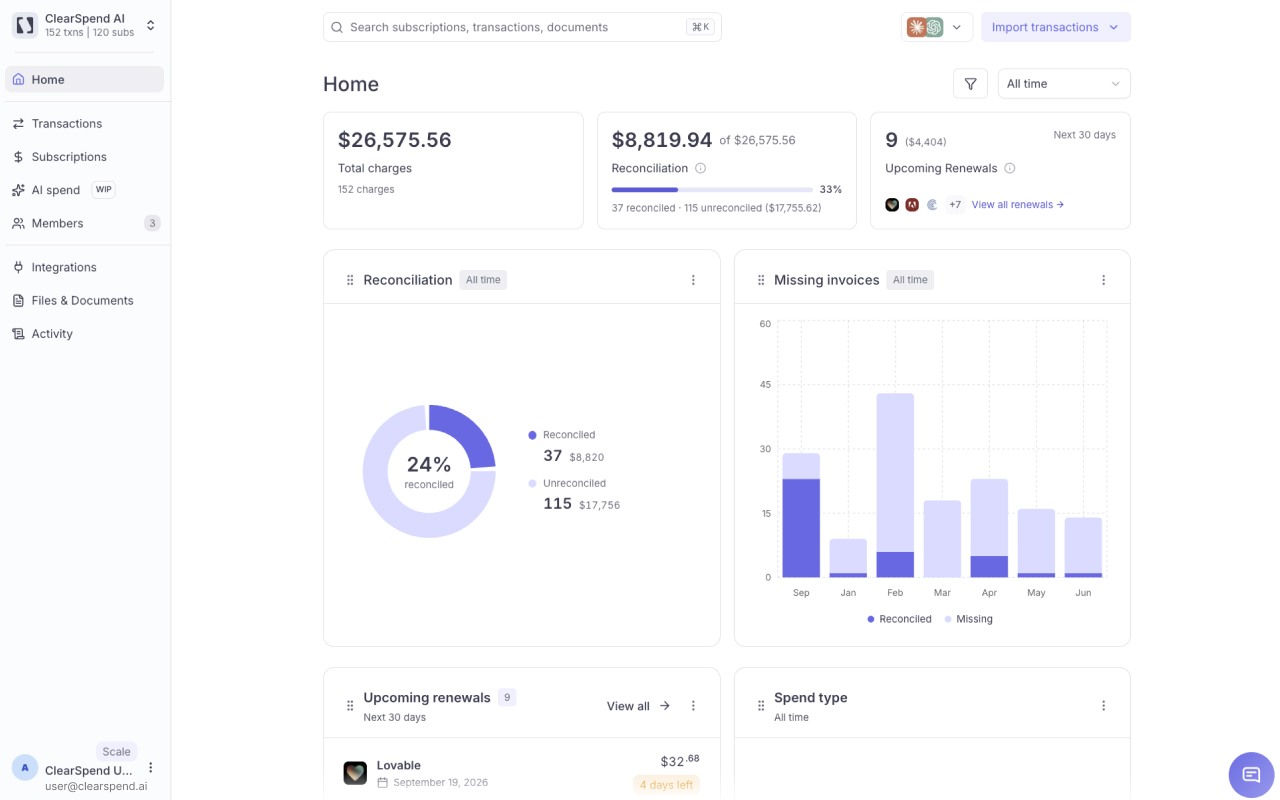
Instead of manually searching through inboxes and folders or checking every transaction one by one, finance teams can focus on the records that actually need attention.
With ClearSpend, you can:
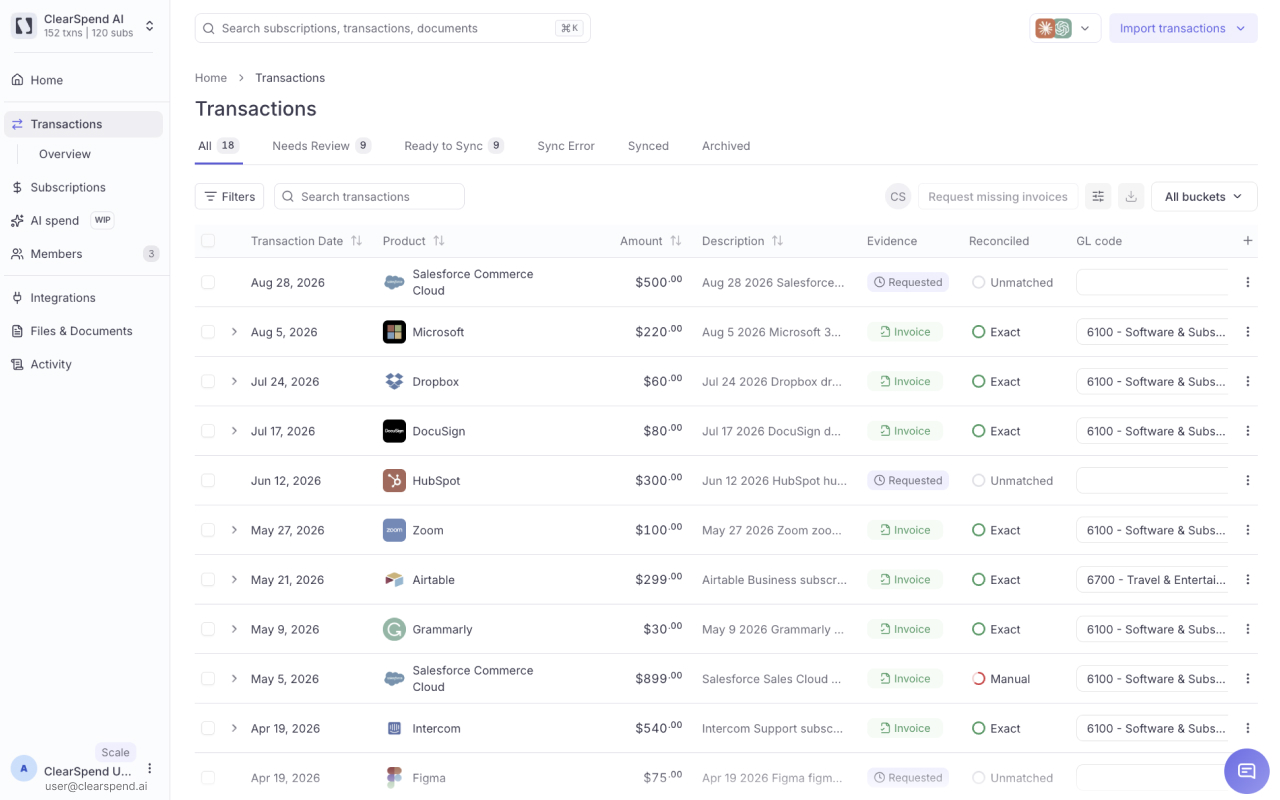
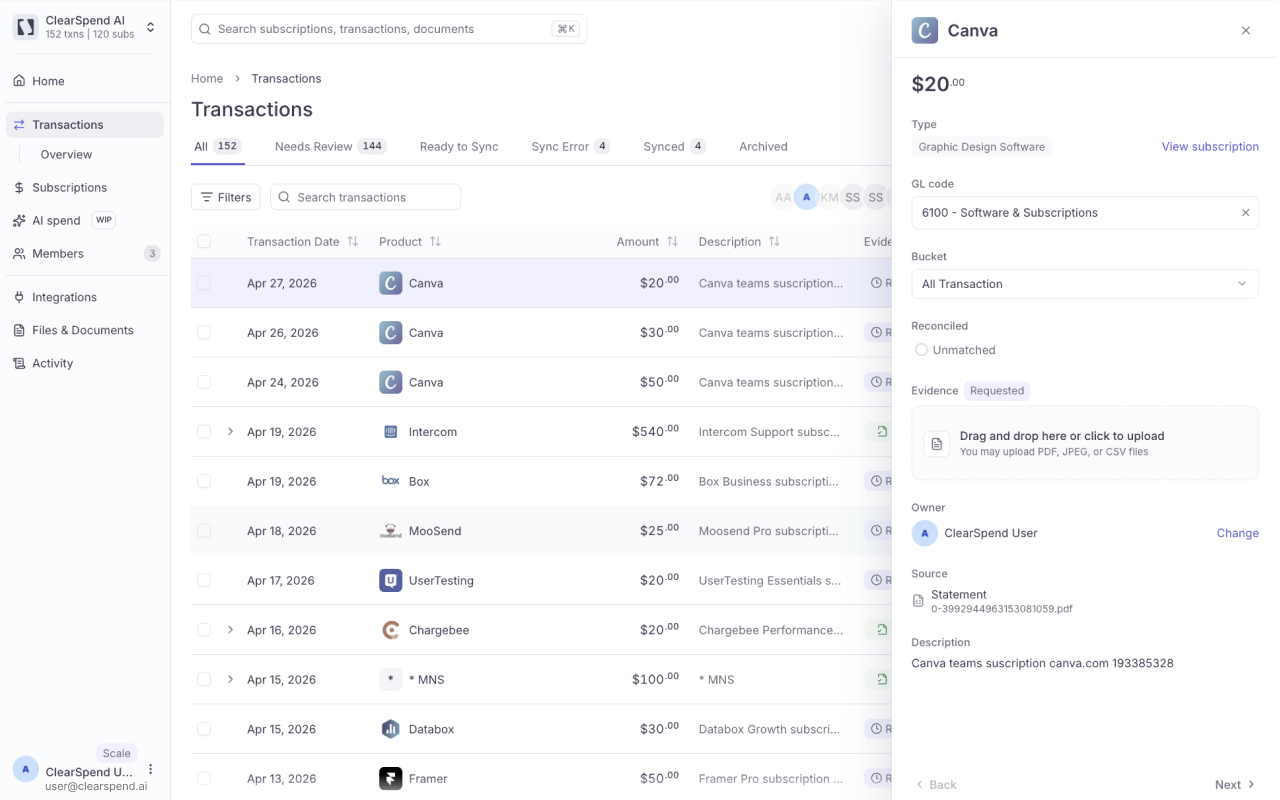
• Automatically match transactions with invoices and receipts • Find missing supporting documents across connected sources • See which transactions are matched, missing proof, or need review • Review exceptions instead of manually checking every transaction • Keep transactions and their supporting evidence together • Sync reconciled transaction data and supporting documents back to Xero • Reduce duplicate data entry and repetitive reconciliation work • Keep financial records organised and ready for review
How to get started
- Sign up for ClearSpend and connect your Xero organisation.
- Choose how you want to bring in transactions — from Xero, Plaid, or uploaded card statements.
- Connect Gmail or Google Drive, or upload invoices and receipts manually.
- ClearSpend automatically matches transactions to their supporting documents.
- Review any missing, uncertain, or unmatched records.
- Once everything is ready, sync the reconciled transaction data and supporting documents back to Xero.
ClearSpend works alongside Xero rather than replacing it. Xero remains your accounting platform, while ClearSpend automates the document collection, transaction matching, and exception-review work around reconciliation.
Need help getting started? Our team is available to support you during onboarding and help you set up ClearSpend for your reconciliation workflow.
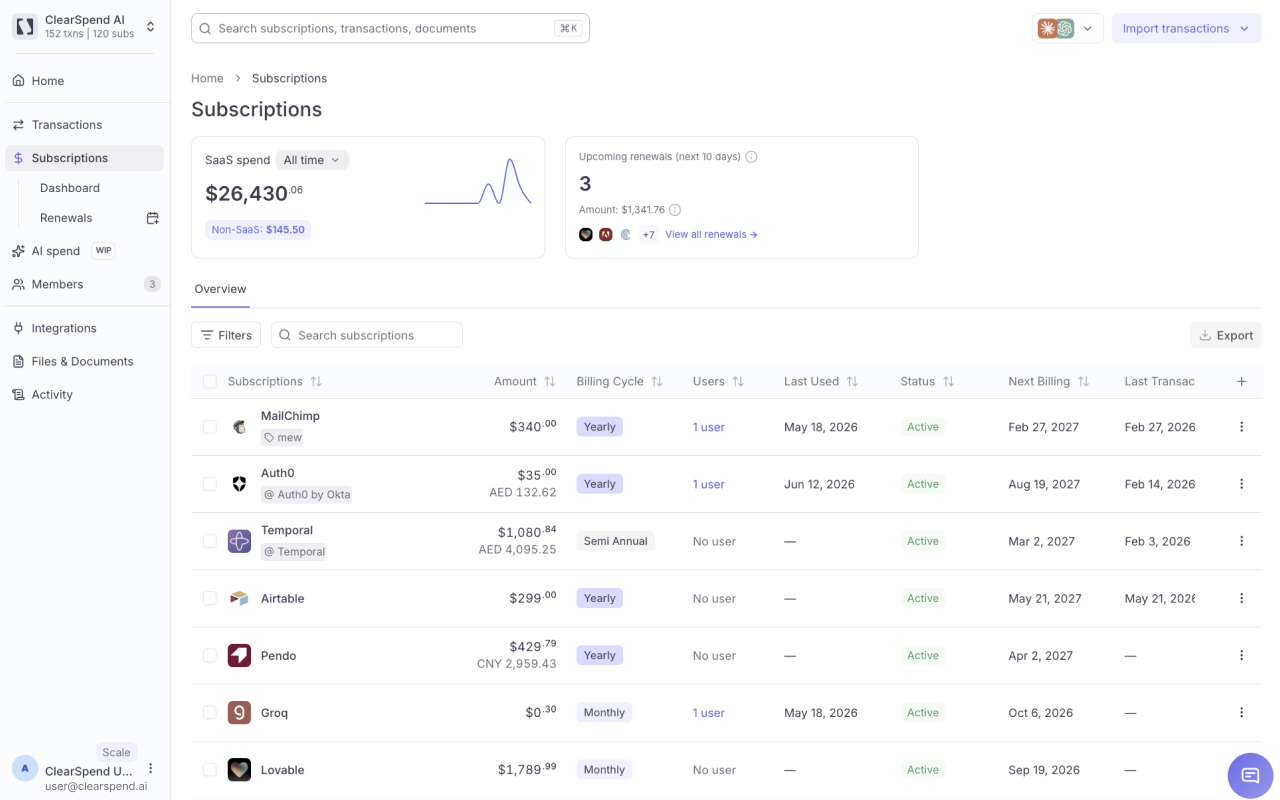
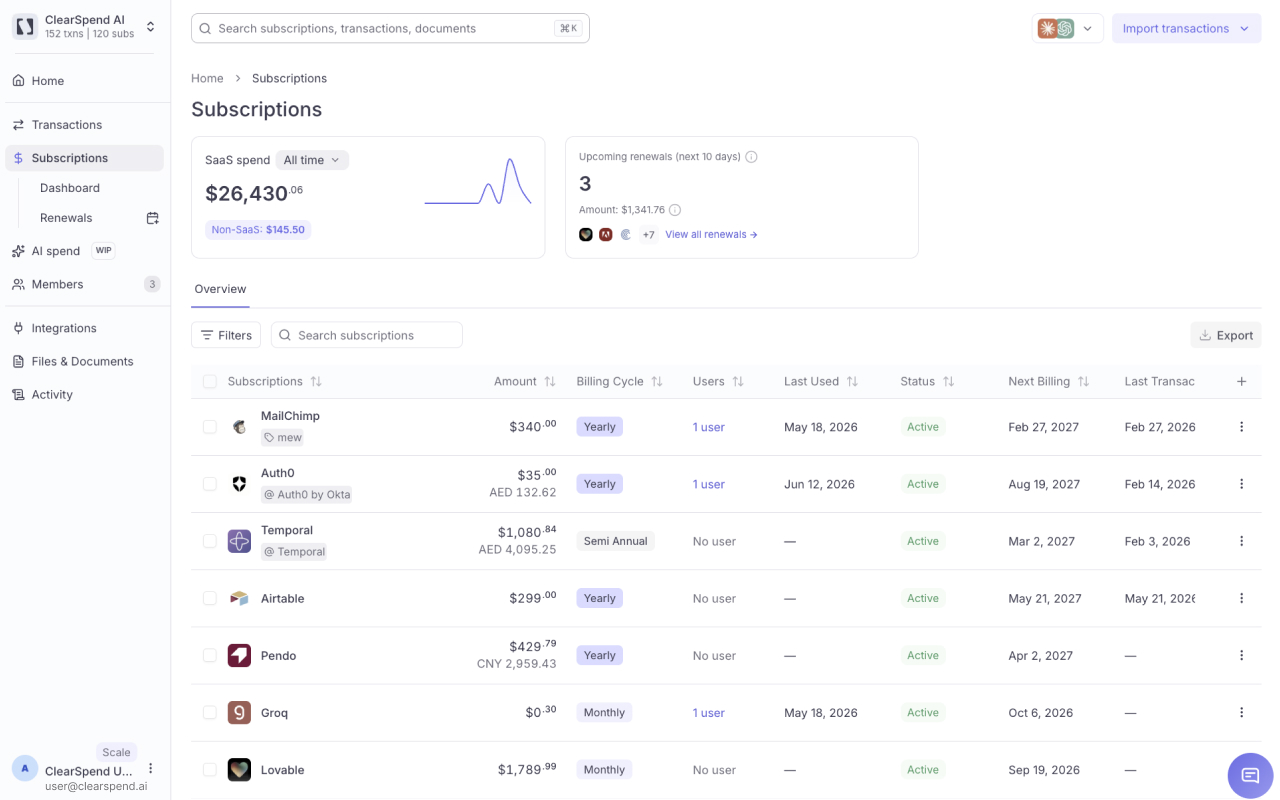
ClearSpend also provides subscription tracking, renewal reminders, and spend visibility to help finance teams better understand and manage recurring software spend.

ClearSpend AI + Xero
ClearSpend integrates with Xero to automate the workflow between transactions, supporting documents, reconciliation, and accounting records.
Connect your Xero organisation to ClearSpend to bring transaction data into the platform. ClearSpend then collects invoices and receipts from connected sources such as Gmail, Google Drive, or manual uploads and automatically matches them to the corresponding transactions.
Finance teams can review matched transactions, investigate missing or uncertain documents, and focus only on exceptions instead of manually checking every record.
Once transactions have been reviewed and reconciled in ClearSpend, the reconciled transaction data and supporting documents can be synced back to Xero, reducing duplicate data entry and keeping accounting records up to date.
The workflow is:
- Connect your Xero organisation to ClearSpend.
- Bring transactions into ClearSpend from Xero, Plaid, or uploaded card statements.
- Bring in invoices and receipts from Gmail, Google Drive, or manual uploads.
- ClearSpend automatically matches supporting documents to the corresponding transactions.
- Review any missing, unmatched, or uncertain records that need attention.
- Sync reconciled transaction data and supporting documents back to Xero.
ClearSpend works alongside Xero to automate the manual work around transaction reconciliation, helping finance teams maintain cleaner records and close their books faster.
Pricing plans
This app includes a free 7 day trial
Starter
- Automatic transaction matching
- 200 transactions / mo
- Up to 3 integrations
- 2 team members
- Missing-document tracking
- Subscription tracking & renewal reminders
Growth
- Everything in Starter, plus:
- 600 transactions / mo
- All integrations
- 5 team members
- People & usage insights
Scale
- Everything in Growth, plus:
- 2,500 transactions / mo
- All integrations
- Unlimited team members
- Dedicated CSM
- Custom rules
- Priority onboarding & support
Enterprise
- Everything in Scale, plus:
- Custom volume pricing
- Custom onboarding & SLAs
Getting started
ClearSpend AI helps finance and accounting teams close their books faster by automating transaction-to-document reconciliation.
Transactions can be brought into ClearSpend from Xero, Plaid-connected accounts, or uploaded card statements. ClearSpend then collects supporting invoices and receipts from sources such as Gmail, Google Drive, and direct uploads, and automatically matches them to the right transactions.
Instead of manually searching through inboxes and folders or checking every transaction one by one, finance teams can focus on the records that actually need attention.
With ClearSpend, you can:
• Automatically match transactions with invoices and receipts • Find missing supporting documents across connected sources • See which transactions are matched, missing proof, or need review • Review exceptions instead of manually checking every transaction • Keep transactions and their supporting evidence together • Sync reconciled transaction and invoice information back to Xero • Reduce duplicate data entry and repetitive reconciliation work • Keep financial records organised and ready for review
How to get started
• Sign up for ClearSpend and connect your Xero organisation. • Choose how you want to bring in transactions — from Xero, Plaid, or uploaded card statements. • Connect Gmail or Google Drive, or upload invoices and receipts manually. • ClearSpend automatically matches transactions to their supporting documents. • Review any missing, uncertain, or unmatched records. • Once everything is ready, sync the reconciled transaction data and supporting documents back to Xero.
ClearSpend works alongside Xero rather than replacing it. Xero remains your accounting platform, while ClearSpend automates the document collection, transaction matching, and exception-review work around reconciliation.
ClearSpend also provides subscription tracking, renewal reminders, and spend visibility to help finance teams better understand and manage recurring software spend.