Overview
VendorAlert helps businesses and accounting firms catch contact bank detail changes in Xero before money leaves the account. When a contact bank field changes, VendorAlert notifies the people you choose by email and keeps a clear record in the app.
Xero can alert someone when financial details change, but that notification only goes to the person who made the edit. VendorAlert is built for teams. Business owners, approvers, finance managers and partners can be notified even when they did not make the change, helping organisations detect unauthorised changes early and reduce the risk of payment fraud.
VendorAlert connects with read only access. It cannot create, edit or delete contacts or bank details in Xero. Your team changes supplier details only inside Xero. VendorAlert monitors those fields, compares them to the last known values, and raises alerts when something changes.
You configure alert recipients per organisation. Each alert shows what changed so finance can verify with the supplier before paying. VendorAlert is a monitoring and alerting tool. It does not process payments or replace your own payment controls.
Monitoring runs on a schedule about every six hours, when you run a manual sync, and when Xero sends contact updates. After the first import, new or changed bank details trigger alerts. The first import only establishes a baseline.
VendorAlert suits accounting firms, bookkeepers and businesses that pay suppliers from Xero and want an extra check before authorising payment.
Start with a fourteen day free trial with no credit card required. After the trial, subscribe to keep monitoring. Pricing is nine Australian dollars per month per connected Xero organisation including GST. You can cancel and disconnect at any time.
For questions, use the contact option on our website.
VendorAlert + Xero
VendorAlert integrates with Xero using OAuth. Customers sign in with Xero and authorise access to one or more organisations. The integration is read only. VendorAlert does not write invoices, bills, payments, journals or contact records back to Xero.
OAuth scopes are limited to what monitoring needs. We use read access to contacts for names, identifiers and bank and payment fields. We use read access to organisation settings where needed for the service, for example timezone on alert emails. Standard OpenID scopes support secure sign in and token refresh.
After connect, VendorAlert imports contacts from the authorised organisation and stores a baseline of financial details used for comparison. We do not use this integration to pull unrelated ledger, payroll or inventory data beyond what is required to monitor contact payment details.
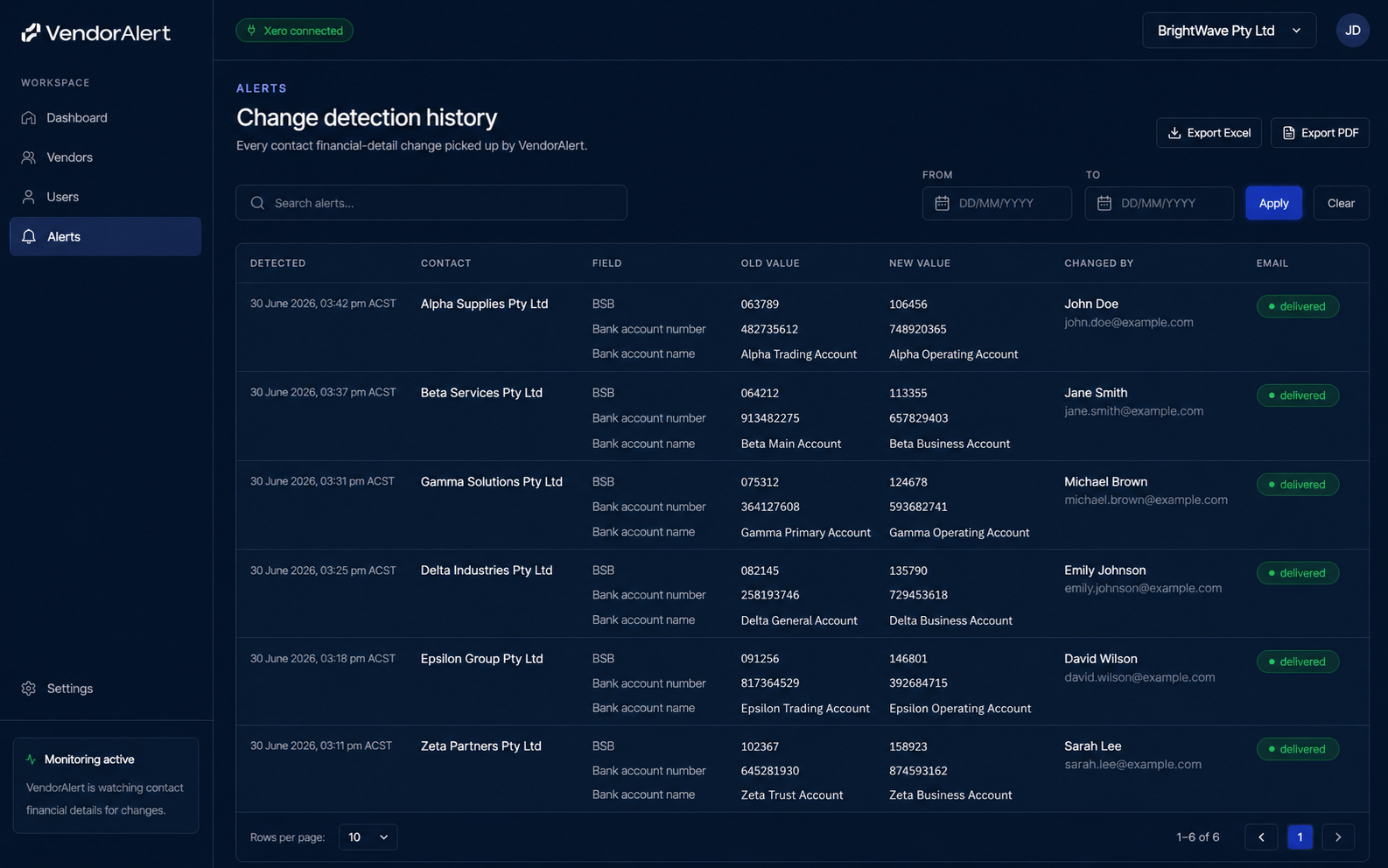
Sync runs when an organisation is first connected, on a recurring schedule about every six hours, when a user requests sync now, and when Xero delivers contact create or update webhook events. When a monitored field changes, VendorAlert records an alert, shows old and new values in the app, and sends email to configured recipients.
Typical workflow. A user starts a trial or signs in and connects an organisation. VendorAlert imports contacts and begins monitoring. An admin sets who receives alert emails. When details change in Xero, recipients review the alert and confirm with the supplier before paying. A user may disconnect from VendorAlert settings or from Xero connected apps. Access tokens are revoked and monitoring stops.
Security measures include encrypted storage of Xero tokens, verification of webhook signatures, and organisation scoped access in our database. Access to Xero remains read only.
Billing is per connected organisation through our payment provider. Monitoring and alerts continue while the organisation is on an active trial or paid subscription.
Privacy, terms and support URLs belong in the separate URL fields in the Xero listing, not inside these text boxes.
Getting started
Getting started
Before you begin
You need permission to connect apps in Xero for the organisation you want to monitor. VendorAlert only reads contact and payment details. It cannot change anything in Xero. Allow five to ten minutes for the first connection. Large contact lists may take longer.
Step 1 Start your free trial
Open the VendorAlert website and click Start 14 day free trial. No credit card is required. Sign in with your Xero account when asked.
Step 2 Connect your Xero organisation
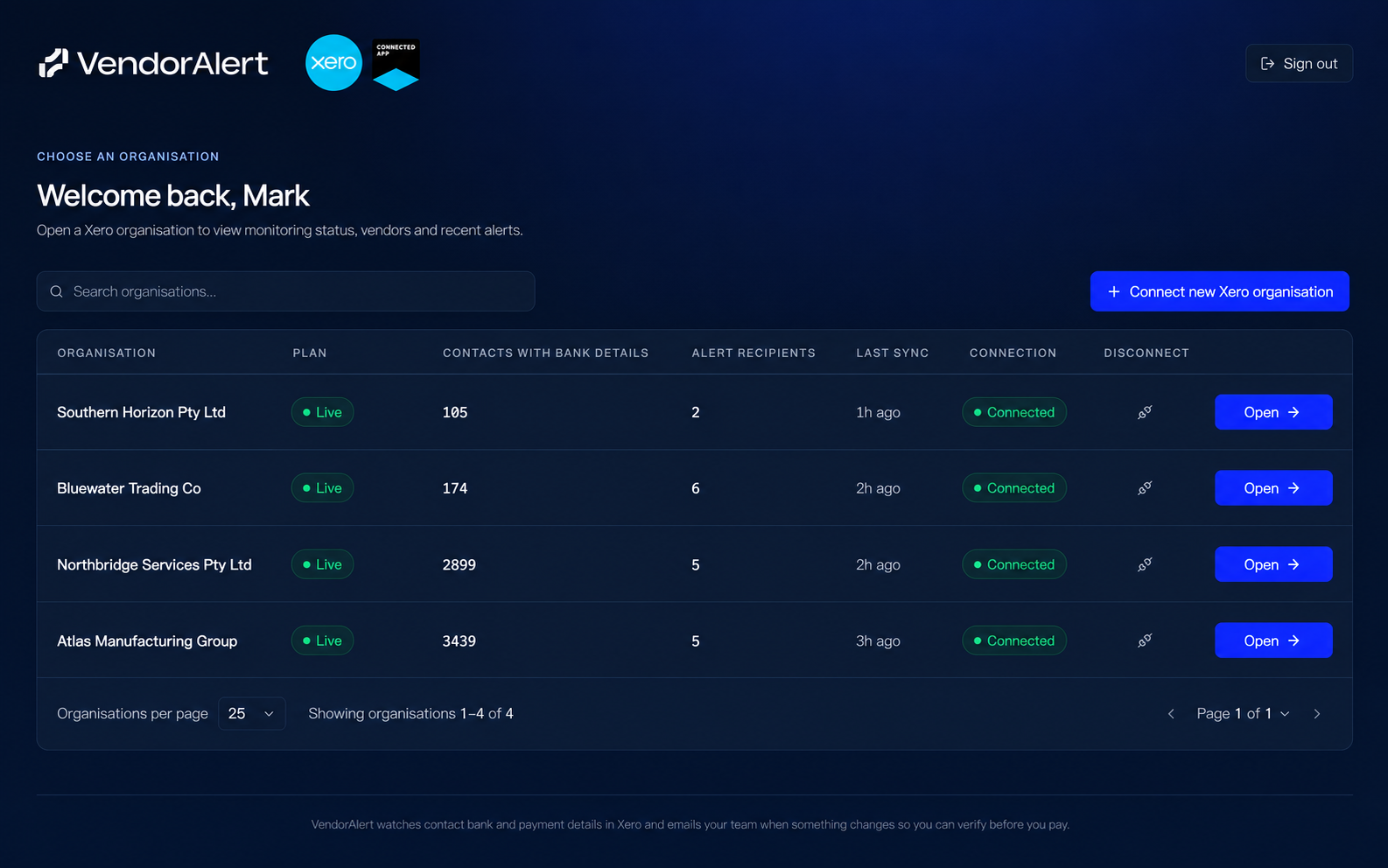
Choose the organisation to monitor. Review the read only permissions and allow access. You will return to VendorAlert and see your organisations list. VendorAlert imports contacts and bank details to set a baseline. Existing details on first import do not create alerts.
Step 3 Choose who gets alerts
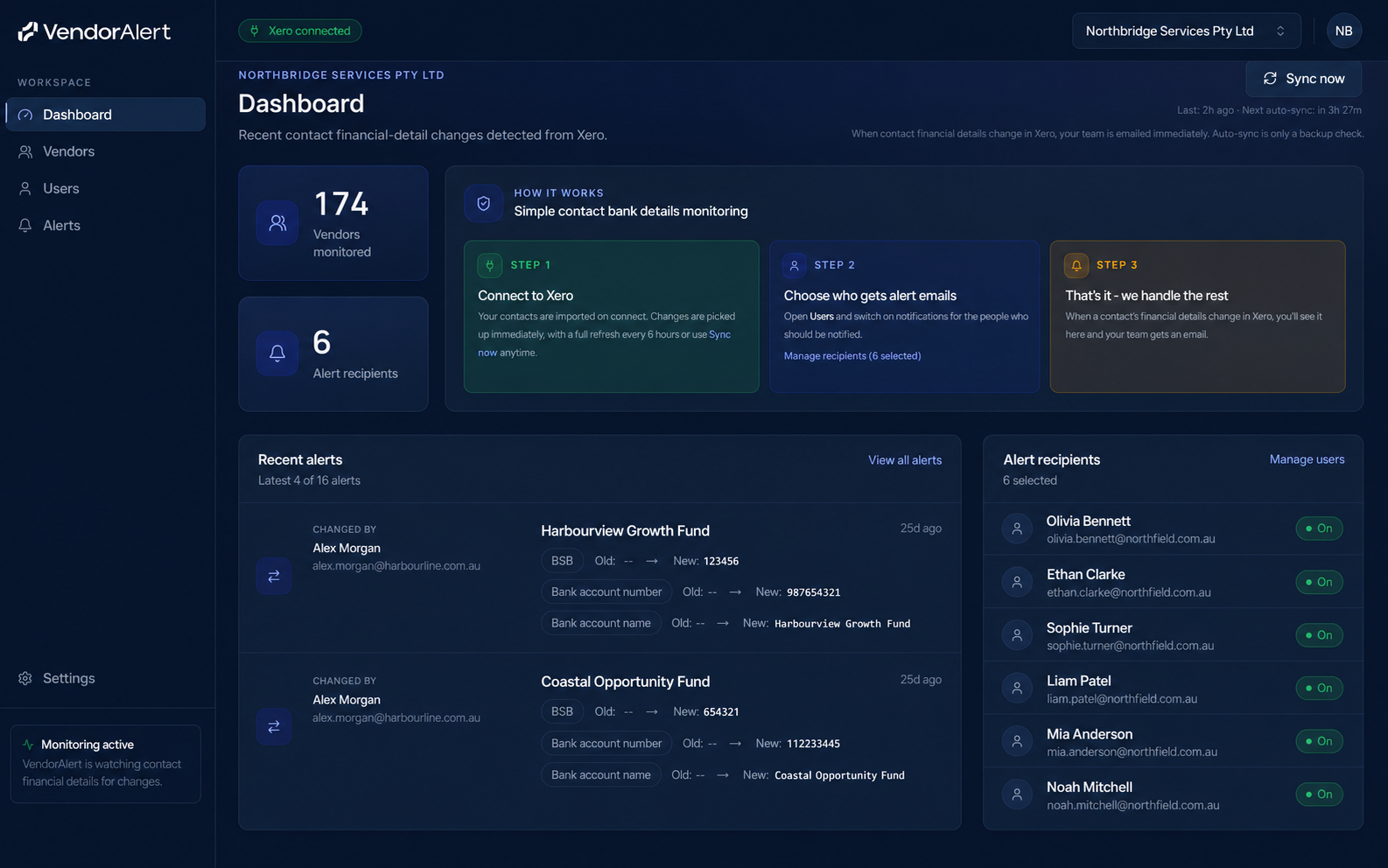
Open the organisation and go to Users. Add or turn on alert recipients. These are the people who receive email when bank details change, such as approvers or finance managers. Alerts go to the people you choose, not only whoever edited the contact in Xero.
Step 4 Confirm monitoring is active
On the Dashboard, check that the organisation is connected. Use Sync now if you want an immediate refresh. VendorAlert also checks on a schedule about every six hours and when Xero sends contact updates.
Step 5 Test with a contact recommended
In Xero, open a supplier contact and change a bank or payment detail. Within a few minutes or after the next sync, check that recipients received email and that the change appears under Alerts with before and after values. Always verify with the supplier before paying. VendorAlert alerts you. It does not approve payments.
Step 6 Subscribe before your trial ends
The trial lasts fourteen days. You are not charged automatically when it ends. Before the trial expires, an admin should subscribe to keep monitoring. The price is nine Australian dollars per month per connected organisation including GST. If you do not subscribe, monitoring pauses until you subscribe later.
Disconnect
You can disconnect from Settings in VendorAlert or remove the app under Connected apps in Xero. This stops monitoring and revokes access.
Help
Use the contact details on our website if you need help with setup or billing.