Overview
Run the whole workshop in one system. Let Xero run the books.
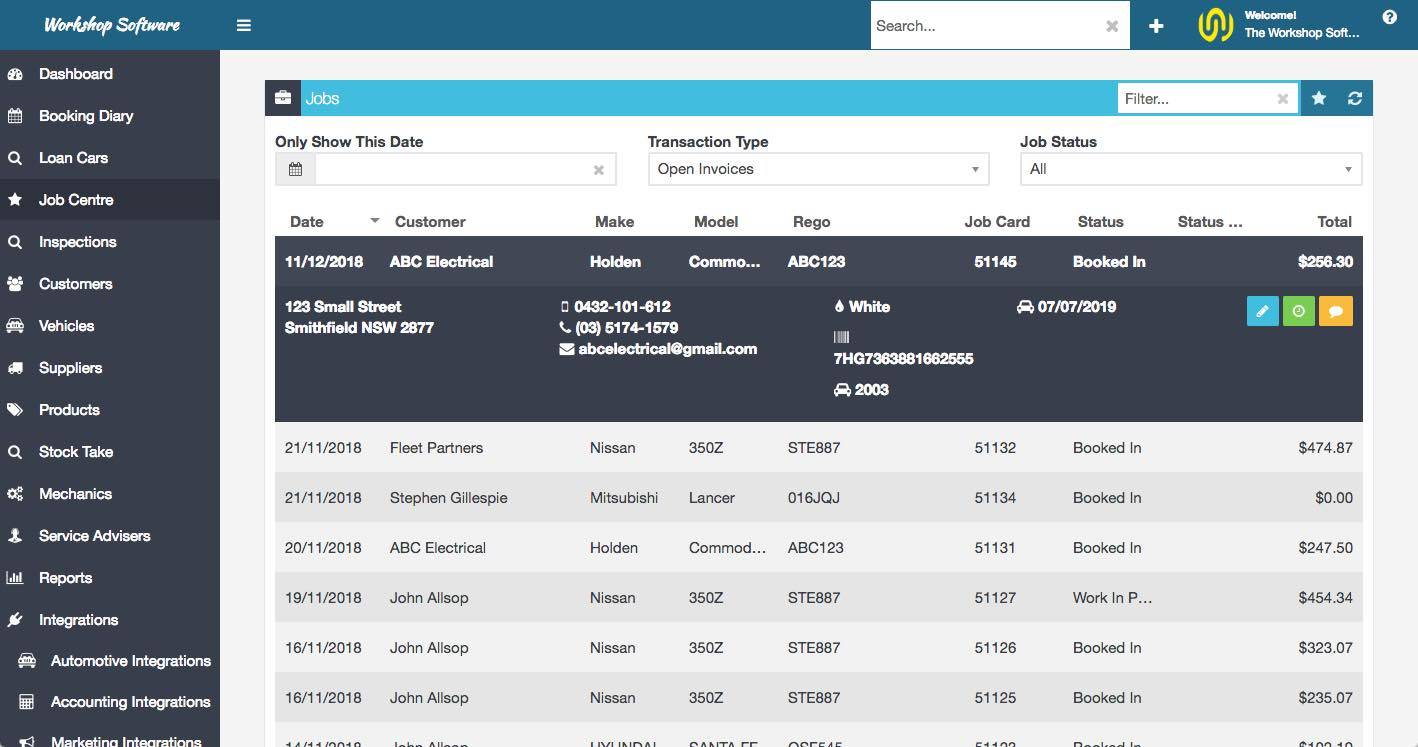
Workshop Software is job management built for mechanical repair businesses: auto, truck and diesel, marine, motorcycle, RV and caravan, farm machinery, mobile mechanics and specialist trade shops. It covers everything from the first enquiry to the paid invoice, then hands clean financial data to Xero.
What it does
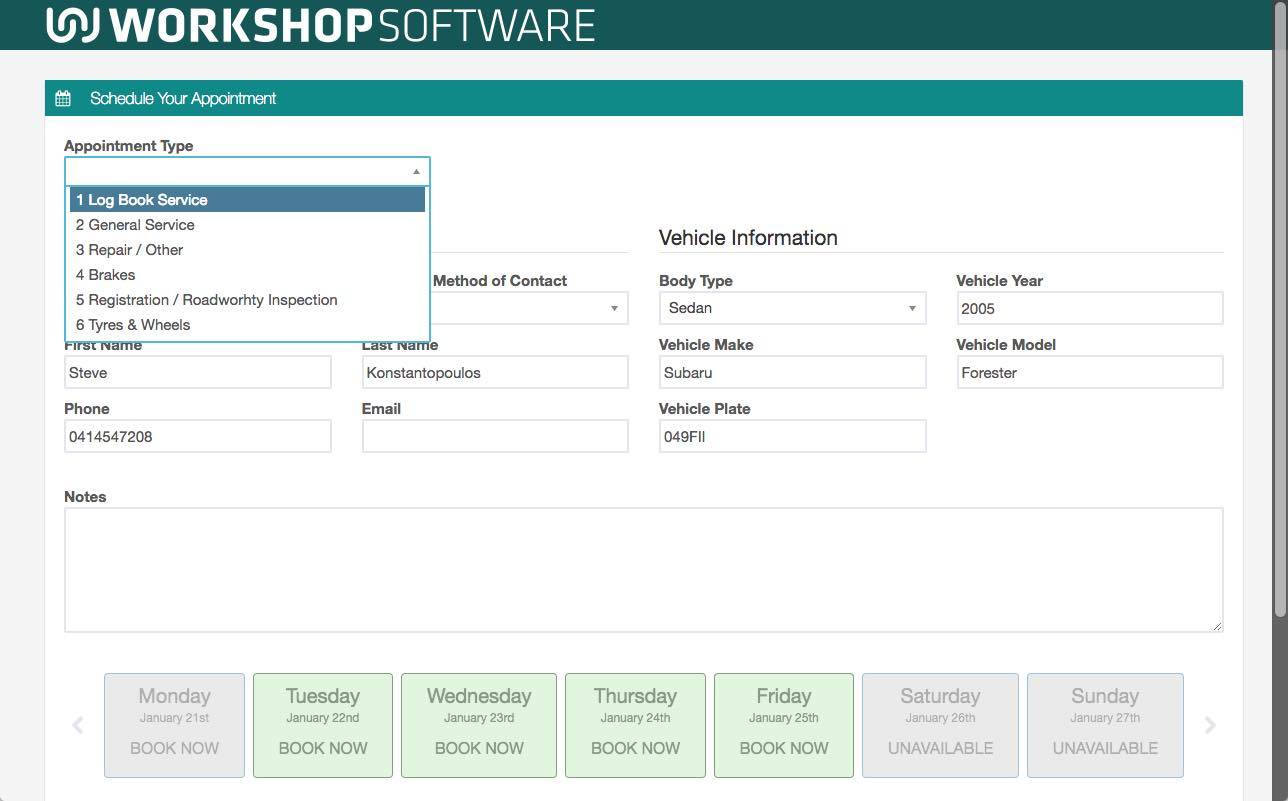
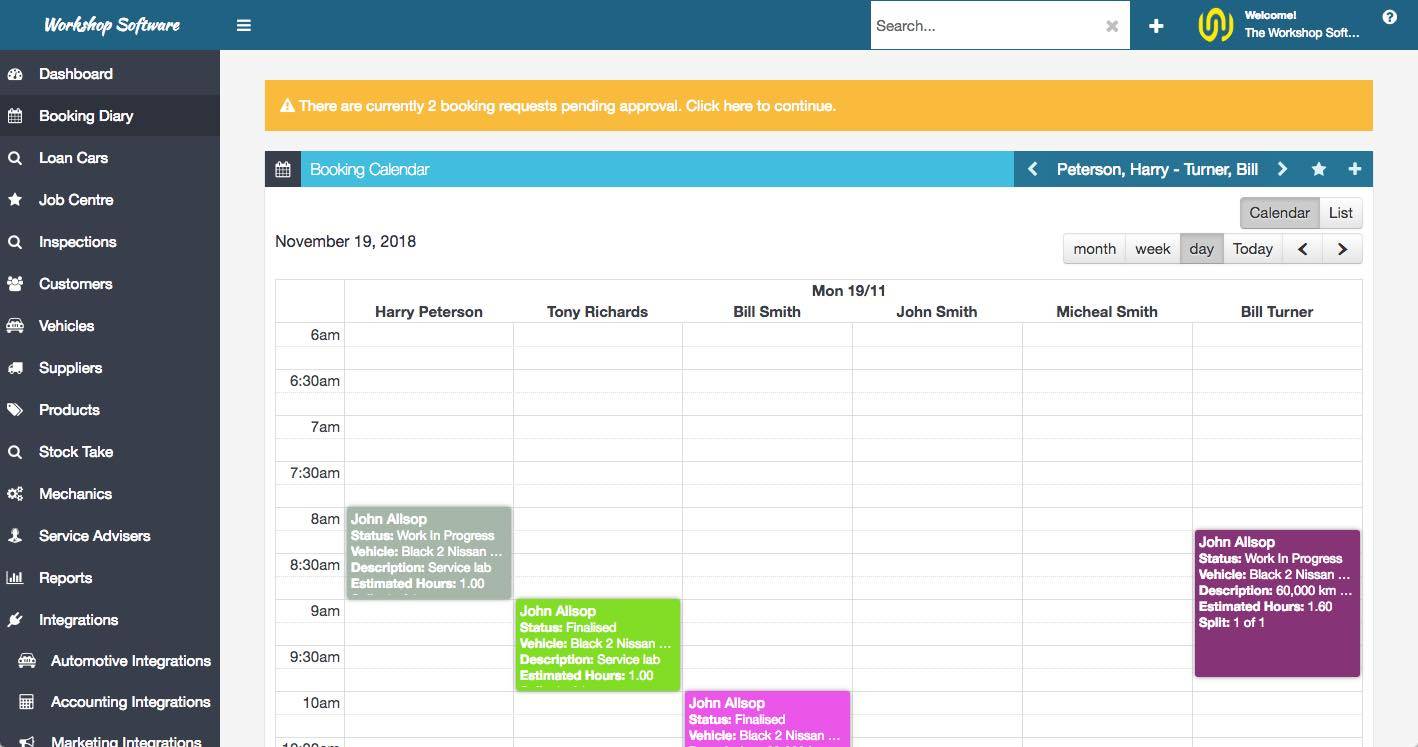
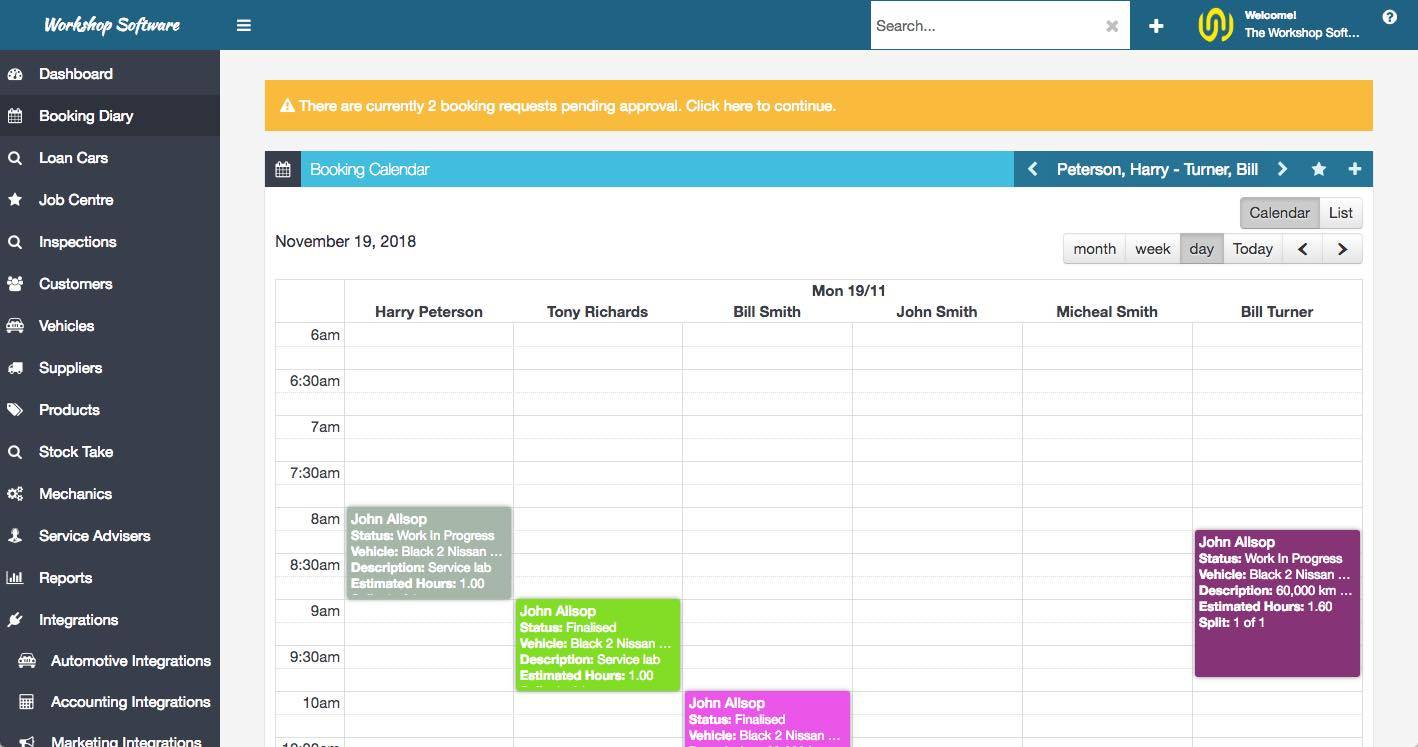
- Bookings and scheduling - online bookings from your own website, a drag and drop diary, and technician allocation
- Quotes and job cards - build a quote, convert it to a job card, attach photos and video, and get approval by text or email
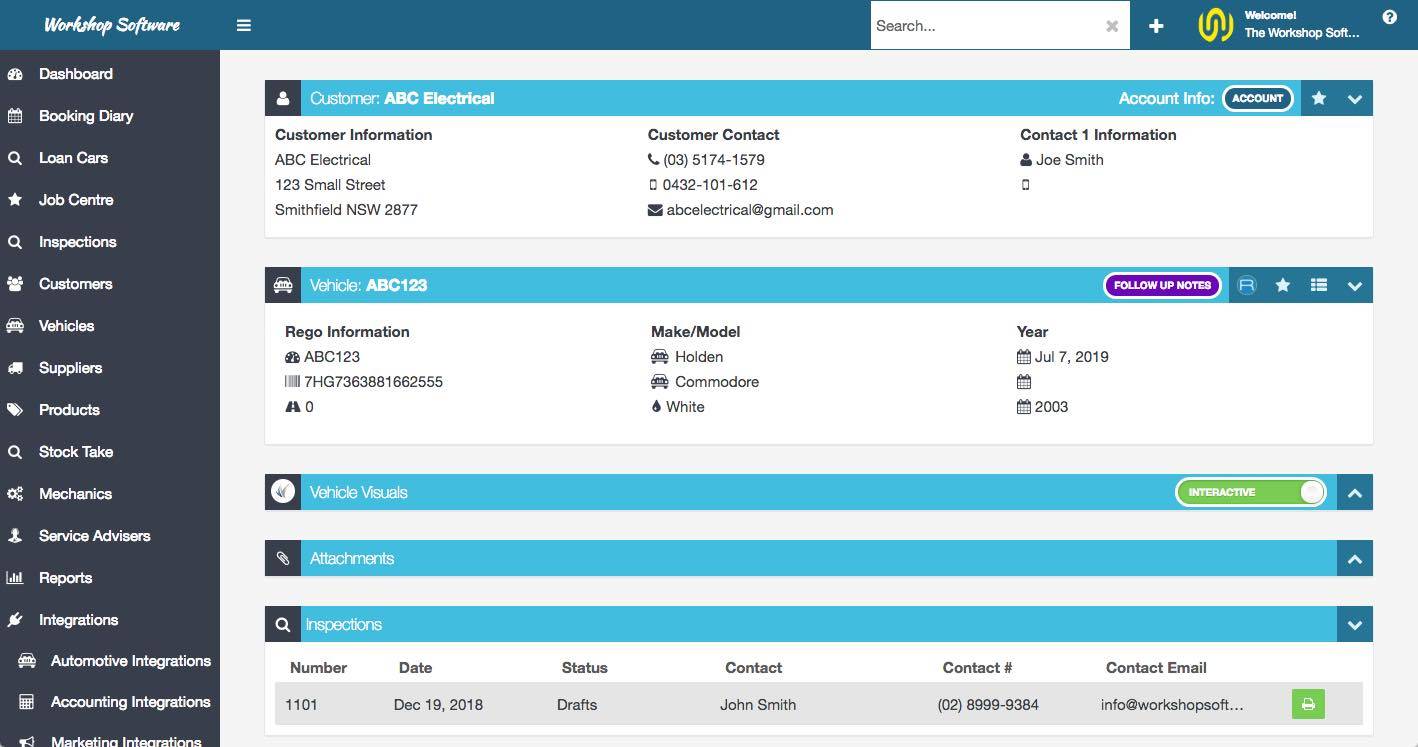
- Vehicle history - every job, part and note held against the vehicle and searchable in seconds
- Parts and stock - order from Repco, Burson, Capricorn, GPC ProLink (NAPA) and PartsTech, with stock levels and supplier invoices tracked
- Invoicing and payments - invoice straight off the job card and take payment in person or online with WorkshopPay
- Customers who come back - automatic service, registration and booking reminders, plus a customer portal for quotes, history and rebooking
- Reporting - job profitability, technician productivity and performance dashboards
For accountants, bookkeepers and advisors
If you look after a repair shop client, this is the system that ends the shoebox. Invoices, customer and supplier records, payments and deposits post into Xero automatically, against the accounts and tracking categories you map. Xero lock dates are respected, so a closed period stays closed. Month end becomes a review rather than a rebuild. Advisors can have their own login on the client's account, so you are not borrowing a workshop seat to get in.
Why workshops choose it
Over 9,400 people use Workshop Software every day across Australia, New Zealand, the United Kingdom, the United States and South Africa. Onboarding, data migration from your old system and support come from people who work with repair shops all day, every day.
Workshop Software is a listed app on the Xero App Store and is reviewed for security annually.
14 day free trial. Full functionality. No credit card required.
Workshop Software + Xero
Connect once. No double entry after that.
Authorise Xero from Settings, map your accounts, and every transaction flows across automatically from then on.
What flows into Xero
- Sales invoices raised from a job card, with full line detail and tax
- Customer contacts, created new or matched to your existing Xero contacts
- Supplier contacts and supplier invoices from parts purchasing
- Customer payments and receipts, posted to the bank account you nominate per payment method
- Customer deposits and part payments taken before a job is finished
How you control it
- Map Workshop Software accounts to your Xero chart of accounts, so labour, parts, sundries and sublet land exactly where your accountant wants them
- Xero tracking categories are supported, so you can report by site, technician or job type
- Xero lock dates are respected, so a workshop transaction cannot reopen a closed period
- A sync event log records every record sent, with a plain English message and a fix whenever Xero rejects something
What it means in practice
The workshop keeps working the way it always has: quoting, ordering parts, invoicing off the job card. The bookkeeper stops re-keying invoices. The accountant opens Xero and finds the month already coded and reconciled against real jobs. Nobody spends BAS or VAT week chasing a folder of supplier invoices.
Getting started
1. Start the free trial
Sign up at workshopsoftware.com. It takes a couple of minutes and no credit card is needed. You get 14 days of the full product, not a cut down version.
2. Connect Xero
In Settings, choose Xero, authorise with your Xero login, then map your accounts, tax rates and payment methods. If you are connecting a live Xero organisation, push a couple of real transactions through during the trial so you can see exactly how they land.
3. Bring your data across
Our onboarding team can import customers, vehicles, suppliers and stock from your current system or from a spreadsheet, so you are not starting from an empty screen.
4. Get the team going
A dedicated onboarding specialist walks your team through job cards, the diary and invoicing. Live training sessions are available, and the knowledge base has step by step guides and videos for the rest.
5. Talk to real people
Support is by phone and email from a team that works with repair shops every day, backed by a full online knowledge base.
Accountants and bookkeepers: if you are setting this up for a client, get in touch and we will run the Xero mapping session with you and the workshop together.