

Overview
Autohive for Xero
Supercharge your accounting automation. Connect Xero to your Autohive AI agents and workflows to streamline financial reporting, invoice management, and procurement effortlessly.
Autohive bridges the gap between your business logic and your accounting data—automating complex financial tasks that previously required manual navigation, freeing your team to focus on growth.
Why Connect Autohive with Xero?
- Eliminate Manual Data Entry: Automatically create invoices, bills, and purchase orders based on triggers from your other business apps.
- Real-Time Financial Intelligence: Pull live P&L and Balance Sheet reports instantly for better decision-making.
- Seamless Document Management: Attach, retrieve, and download receipts and files without opening Xero.
- Multi-Organization Support: Manage multiple Xero organizations from one Autohive interface.
Key Features
📊 Automated Financial Reporting
- Profit & Loss and Balance Sheet: Real-time reports with flexible date ranges and period comparisons.
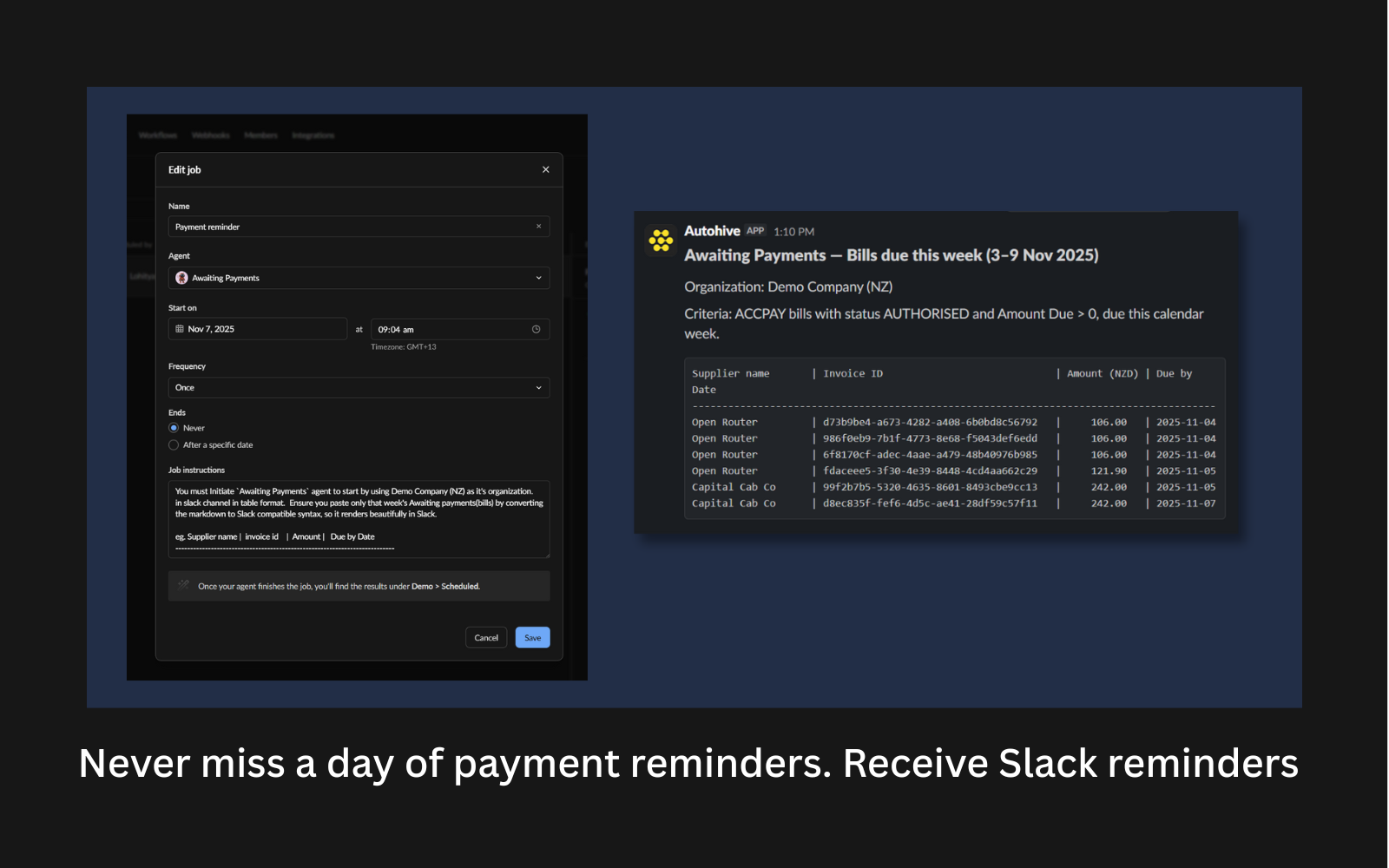
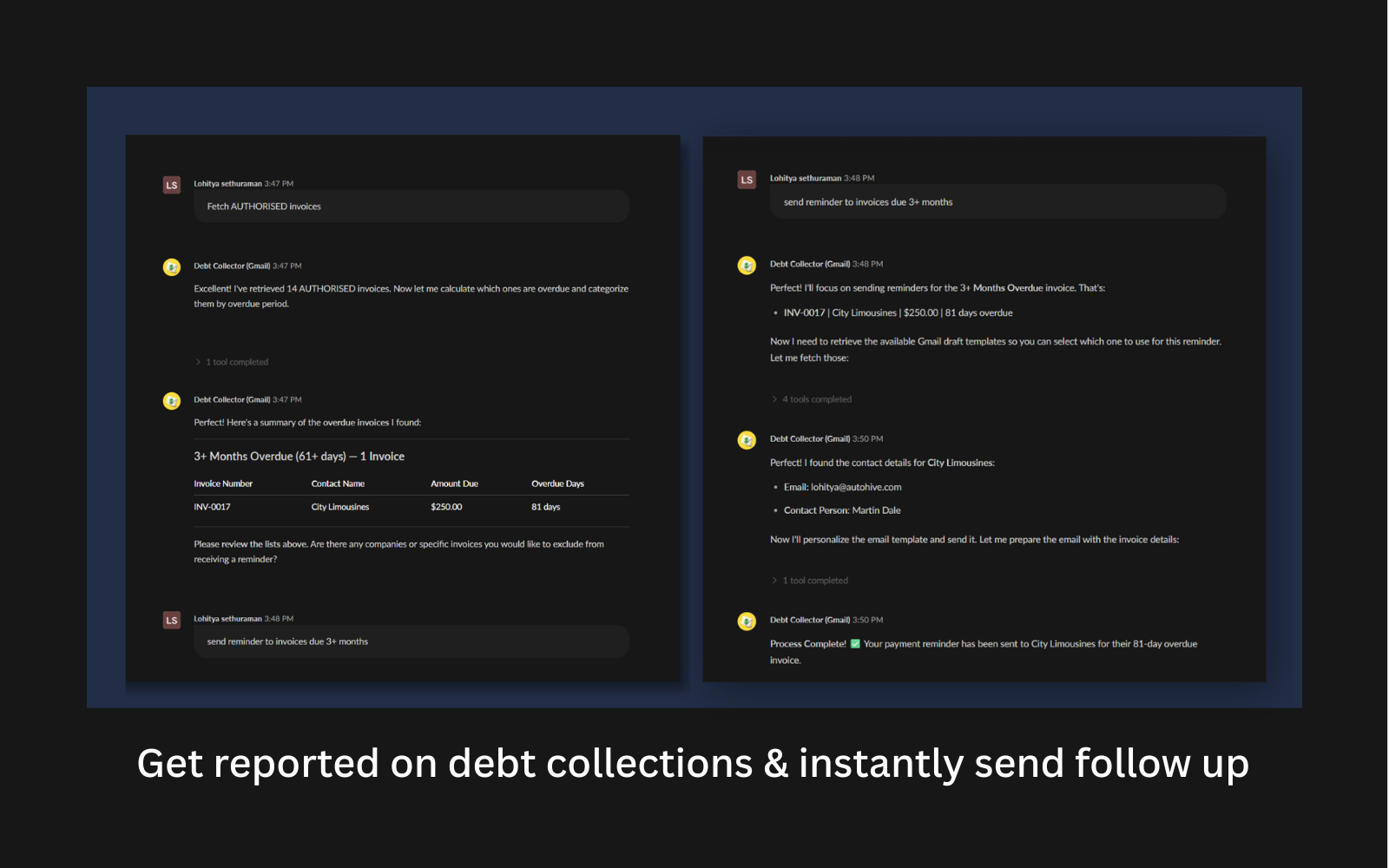
- Aged Payables & Receivables: Monitor cash flow by tracking what you owe and who owes you.
- Trial Balance: Detailed account balances for rapid auditing and reconciliation.
🧾 Smart Invoice & Bill Management
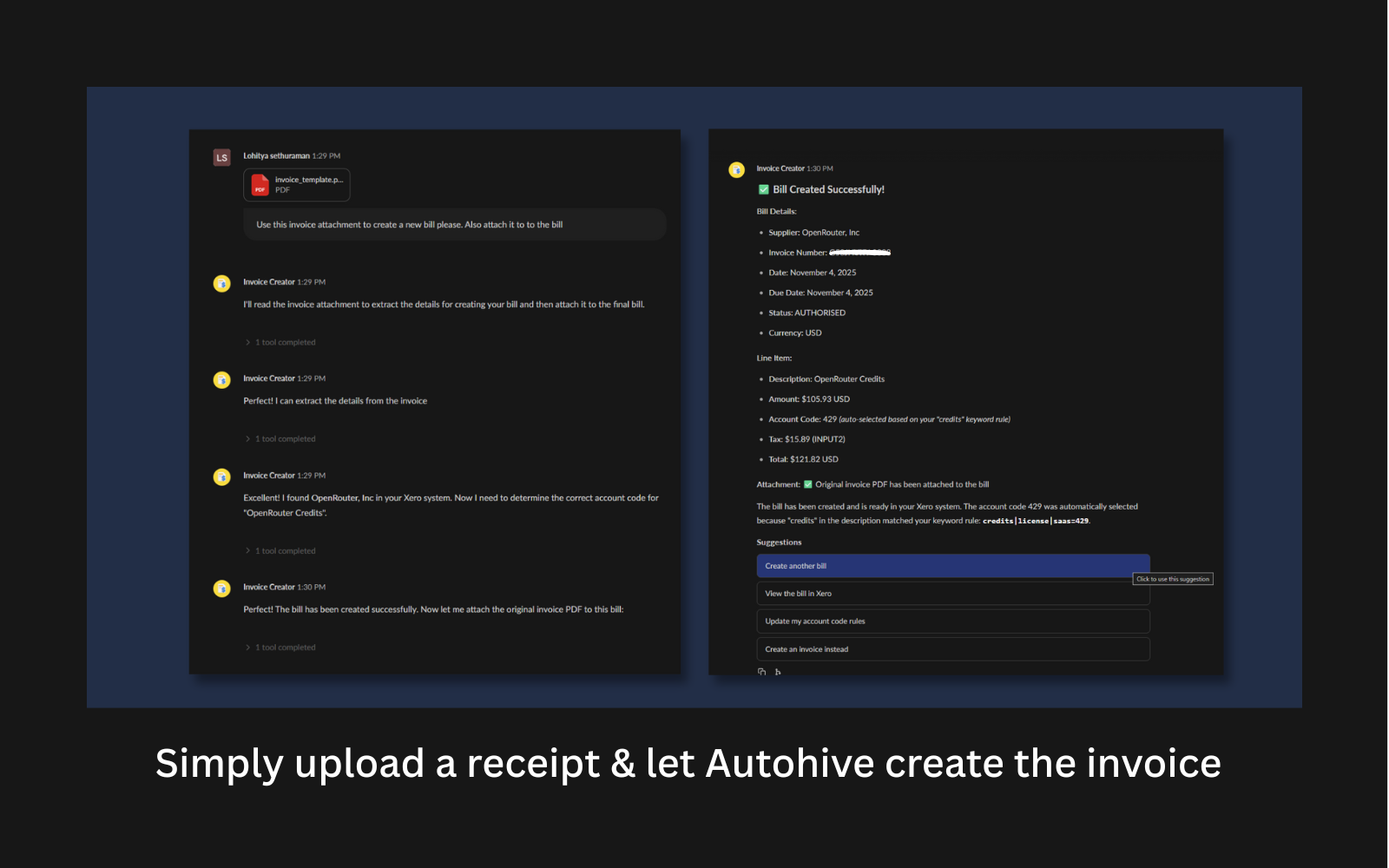
- Instant Creation: Draft sales invoices (ACCREC) and purchase bills (ACCPAY) with accurate line items, tax rates, and account codes.
- PDF Retrieval: Fetch PDF versions of any invoice or bill for email attachments or archiving.
- Updates on the Fly: Modify draft or submitted transactions as your business data changes.
- Advanced Filtering: Query by status, date range, contact, or amount to pinpoint exactly what your workflow needs.
📦 Procurement & Purchase Orders
- Full PO Lifecycle: Create, update, and delete Purchase Orders without leaving Autohive.
- History & Notes: Append notes and track order history for a complete audit trail.
🔗 Document Handling & Search
- Smart Attachments: Upload files and receipts directly to invoices and bills.
- Attachment Retrieval: List and download existing attachments for downstream processing or archiving.
- Deep Search: Find contacts or transactions instantly to route data where it needs to go.
How It Works
- Connect: Securely authorize Autohive via OAuth 2.0.
- Configure: Select the actions your agents need (e.g., "Create Invoice," "Get P&L").
- Automate: Autohive handles your accounting tasks in the background, keeping Xero synchronized.

Autohive + Xero
🔗 Integration Details
Autohive integrates directly with the Xero API to provide real-time, bidirectional data access. Unlike traditional integrations that rely on slow, periodic batch syncs, Autohive operates on an event-driven model. This means your financial data is updated instantly whenever a workflow or AI agent triggers a specific action.
🔒 Connection & Security
- 🔑 OAuth 2.0 Authentication: Authenticate directly with Xero via industry-standard OAuth 2.0, granting Autohive secure, token-based access without sharing your login credentials.
- 🎯 Granular Permissions: Only the specific scopes needed are requested — such as accounting transactions for invoicing or accounting reports for financial analysis.
- 🏢 Multi-Tenant Support: Seamlessly switch between different Xero organizations (tenants) within a single Autohive workflow.
⚡ Data Synchronization & Automation
Autohive acts as an intelligent orchestration layer, pushing and pulling data between Xero and your other business systems (CRMs, Project Management tools, etc.) at the moment of need.
1. 🧾 Automated Invoicing & Billing (Accounts Receivable/Payable)
- 📤 Push: Generate Draft, Submitted, or Authorised sales invoices and purchase bills when a trigger occurs (e.g., a "Closed Won" deal in your CRM).
- 🔄 Sync: Automatically maps contact details, GL account codes, and tax rates to ensure compliance.
- 📥 Pull: Retrieve invoice statuses or download PDF invoices to pass to downstream steps such as email delivery via your connected mail app.
2. 📦 Procurement Workflows
- 🔁 Full Cycle Management: Supports the complete Purchase Order lifecycle — create, update, add notes, and delete POs programmatically.
3. 📊 Financial Intelligence & Reporting
- 📈 On-Demand Analysis: Fetch live financial reports including Profit & Loss, Balance Sheet, Aged Payables, and Trial Balance.
- 🔍 Contextual Data: Retrieve transaction history or bank transaction details to reconcile external data with your accounting records.
4. 📎 Document & Receipt Handling
- 📁 Binary File Transfer: Upload file attachments (PDFs, images) directly to invoices or bills in Xero — and retrieve or download existing attachments — ensuring source documents are always linked to the right financial record.
💡 Example Workflow
🤝 "The Automated Deal Closer"
- ** Trigger**: A deal is marked "Closed" in your CRM.
- Action 1: Autohive queries Xero (find contact by name) to check if the client exists.
- Action 2: It retrieves the contact ID to use in subsequent steps.
- Action 3: Autohive runs create sales invoice in Xero, populating line items from the CRM deal data.
- Action 4: It runs get invoice PDF and passes it to your mail app to send the official invoice to the customer.
Getting started
- Log in to Autohive and navigate to your workspace > Integrations.
- Locate the Xero Integration card and click Connect.
- Authorize with Xero - you’ll be redirected to Xero’s authorization page.
- Select your Xero organization and approve the connection.
- Review and approve permissions.
- Ensure you approve the permissions required in order for the integration to function as expected.
- Confirm installation - you’ll be redirected to Autohive with “Connected” status displayed

Reviews & ratings
Sort and filter
Most recent reviews
 VM
VMsaves me time
Response from Autohive