


Overview
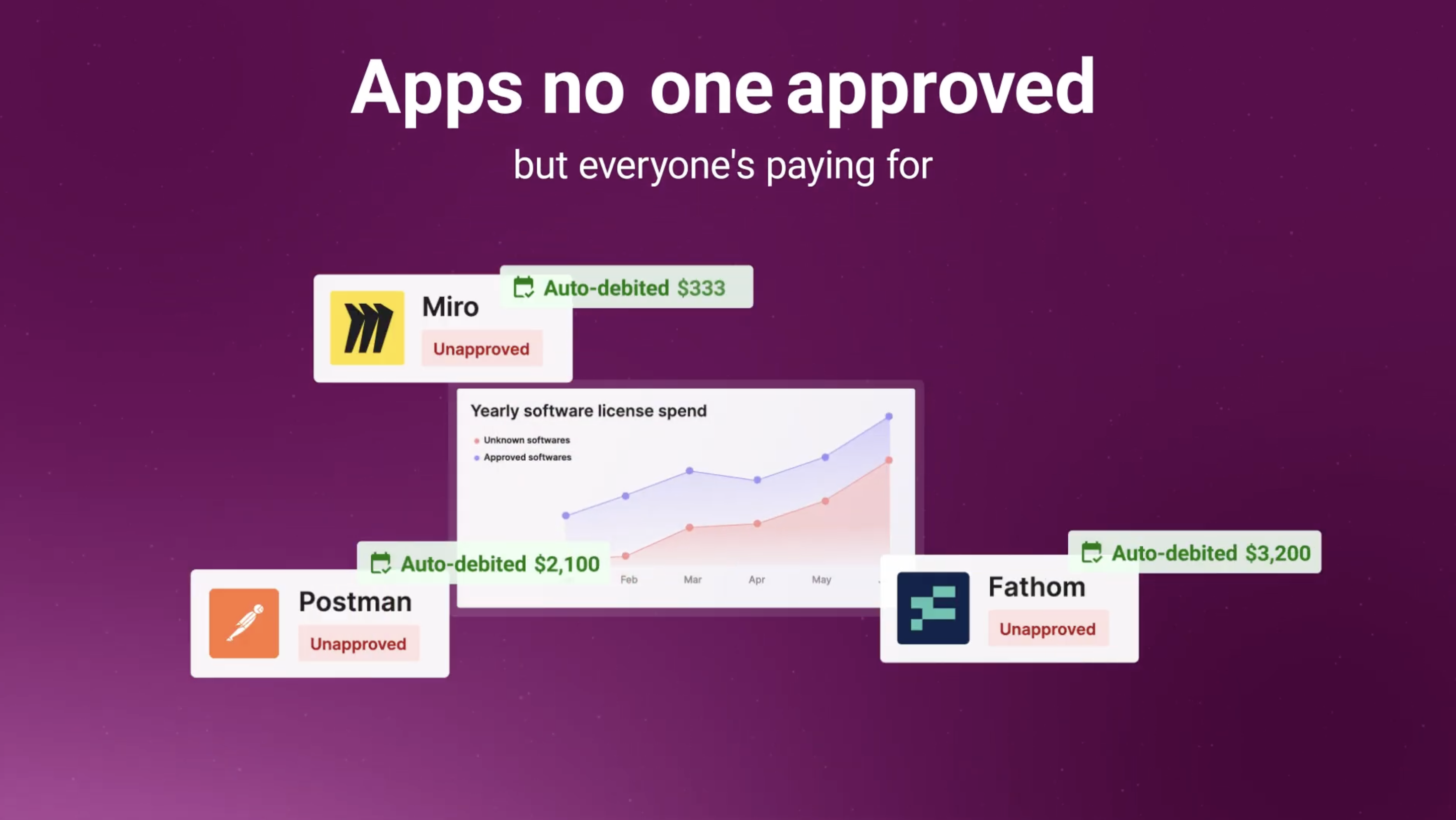
Software and AI expense is the fastest-growing line on your clients' P&L — and one of the few areas nobody is advising on yet. AppVentory turns it into a recurring service line you can bill for.
Every accountant knows advisory is where the value is. Setting it up is the hard part. Most firms assume a new service line means new people, new processes, and months of ramp. It doesn't.
AppVentory is an advisor agent, not another dashboard. Connect Xero, and it works through your clients' data on its own — surfacing the findings that become a quarterly business review or an annual assessment. You review, you advise, you bill. About an hour a month.
What you can advise on
Compliance & Security: Know which apps hold client data, where it sits, and what the exposure is. Software and AI compliance is becoming a board-level question — you get there first.
Recharge: Recharging apps to clients or departments is fiddly and usually done badly or not at all. AppVentory tracks what to recharge and to whom, so it stops leaking.
Stack Standardisation: See every tool across your client portfolio. When five clients run five different invoice-capture tools, you're looking at a consolidation conversation — and a fee.
Business Digitalisation: Not every client is tech-forward. See where they actually are, and lead the transformation instead of reacting to it.
Why firms start here
No new headcount. The agent does the finding. You do the advising.
Live in under an hour. Connect Xero and go. One firm onboarded 36 clients in a single evening. Fits your existing process. Nothing to rebuild — it slots into the reviews you already run. Margin that beats most of your book. An untapped category, priced as advisory, not compliance work.
Software spend is heading toward payroll-sized. Your clients will need someone advising them on it. That someone should be you.
AppVentory + Xero
AppVentory connects to Xero and turns your clients' expense data into advisory findings you can charge for.
How the integration works
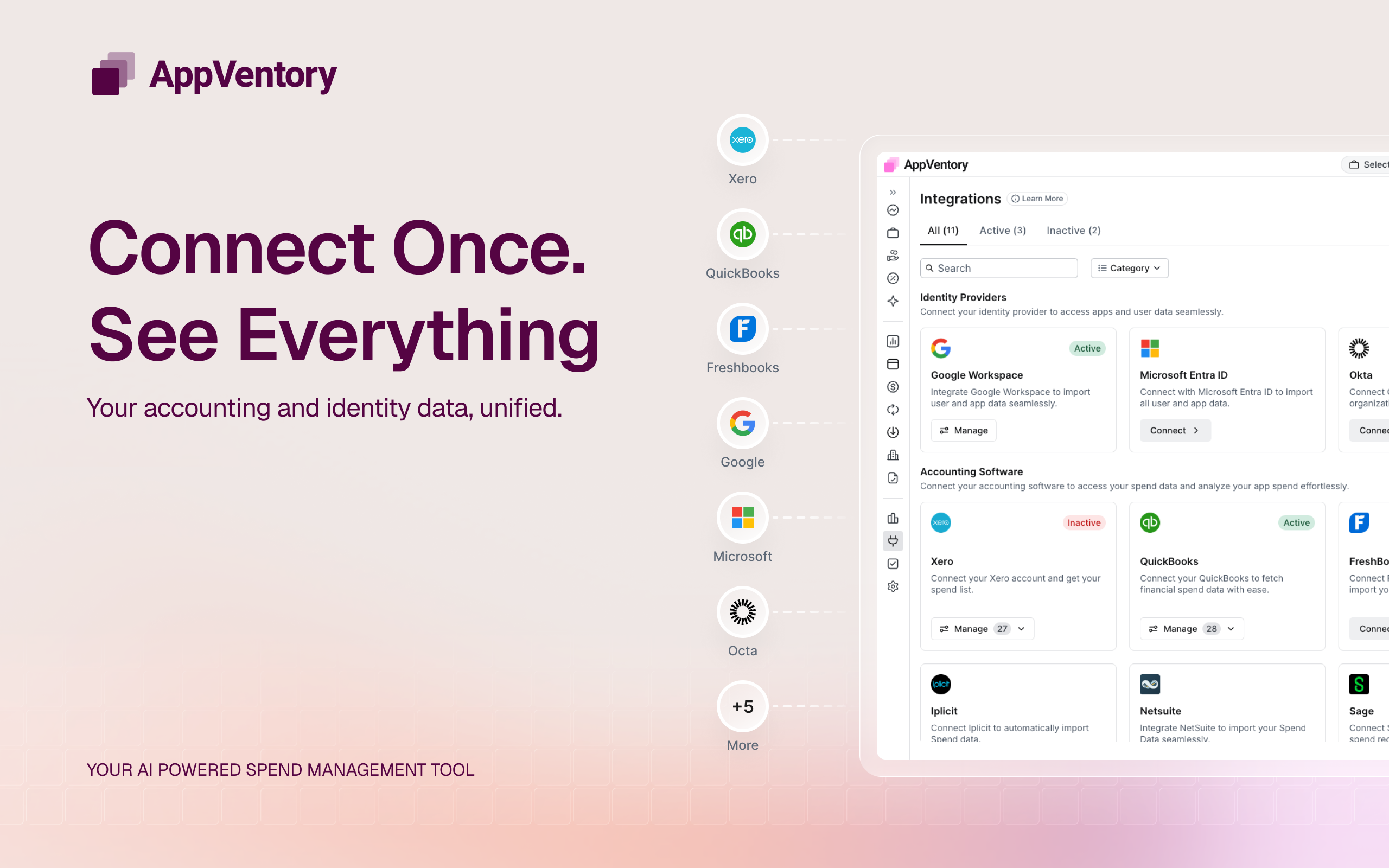
Connect once, per client: Authorise AppVentory against a Xero organisation and the agent starts working. No CSV exports, no manual mapping, no spreadsheets to maintain.
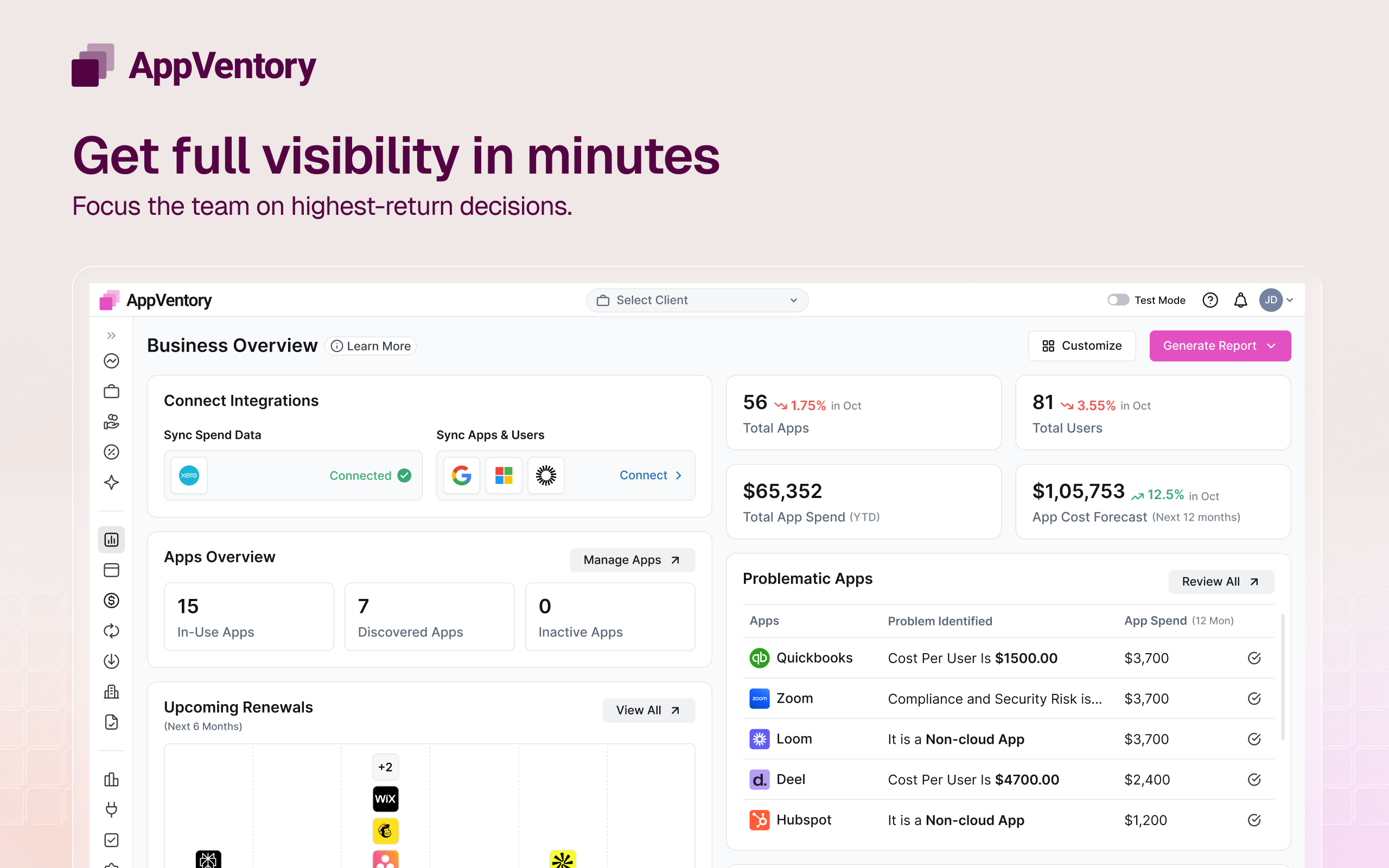
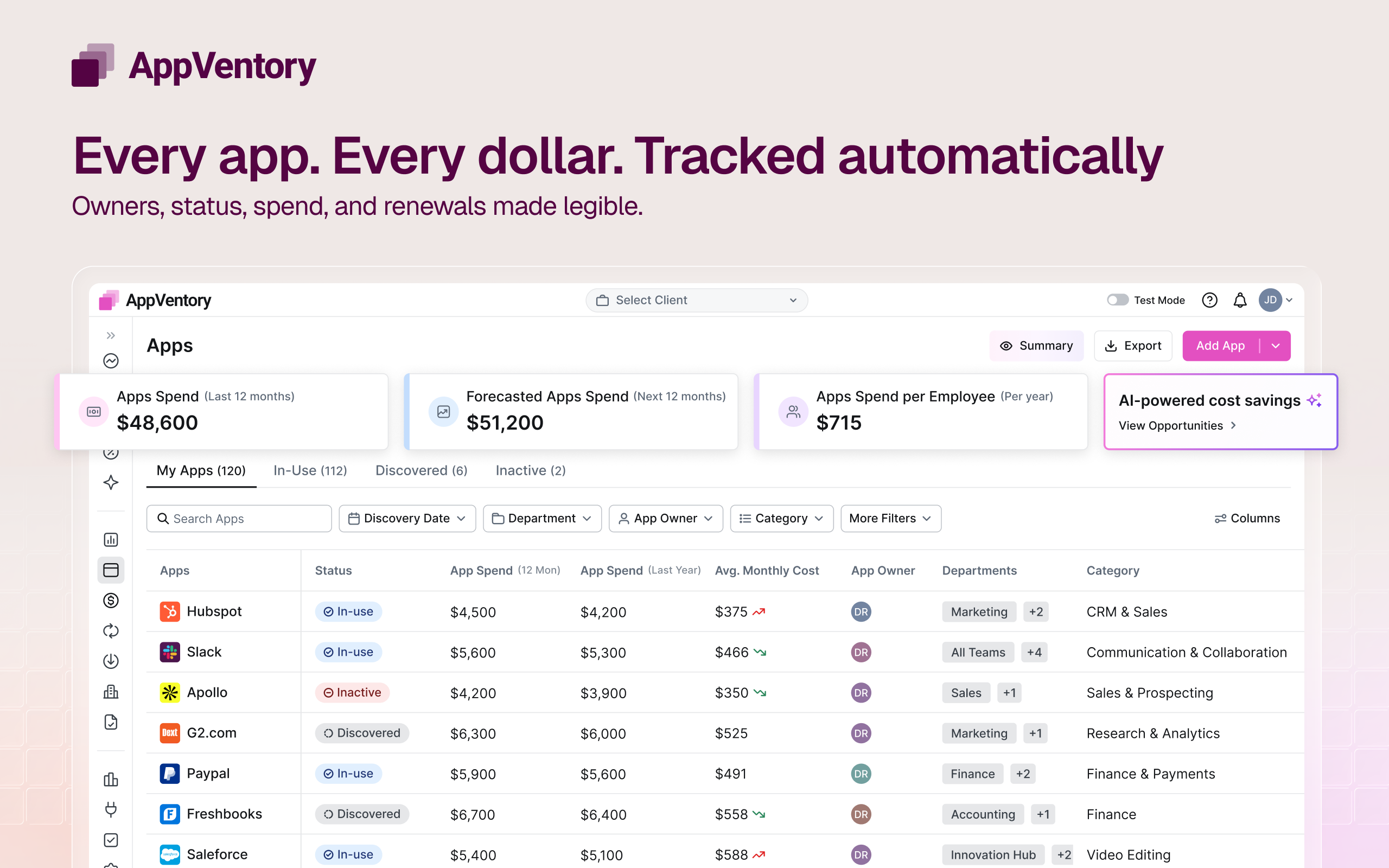
Automatic spend discovery: AppVentory reads Xero expense data and identifies software and AI subscriptions across the account — including the ones nobody remembered signing up for.
Vendor-to-app mapping: Transactions are matched to the actual tools in use, building a live inventory of each client's stack without anyone having to ask around.
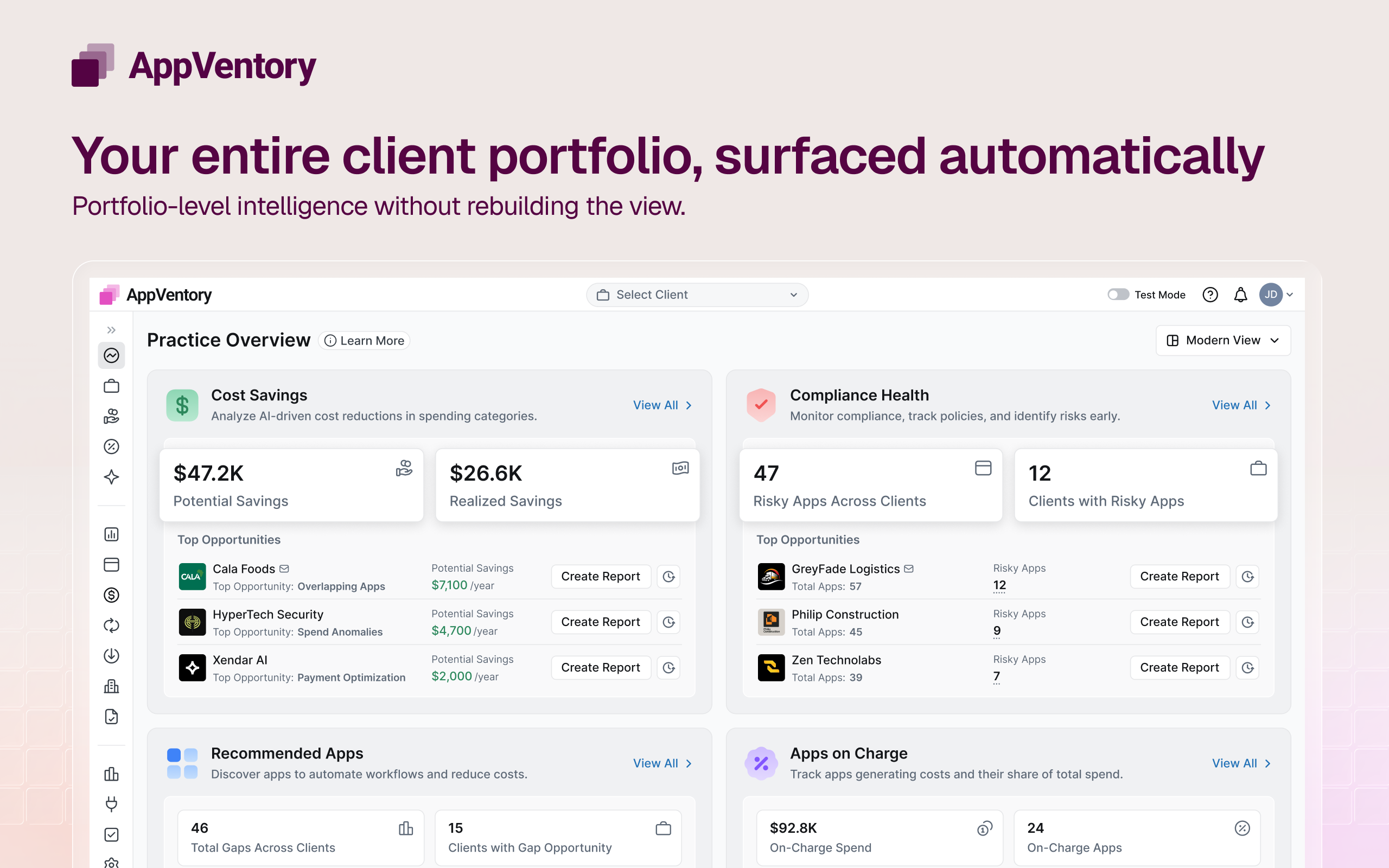
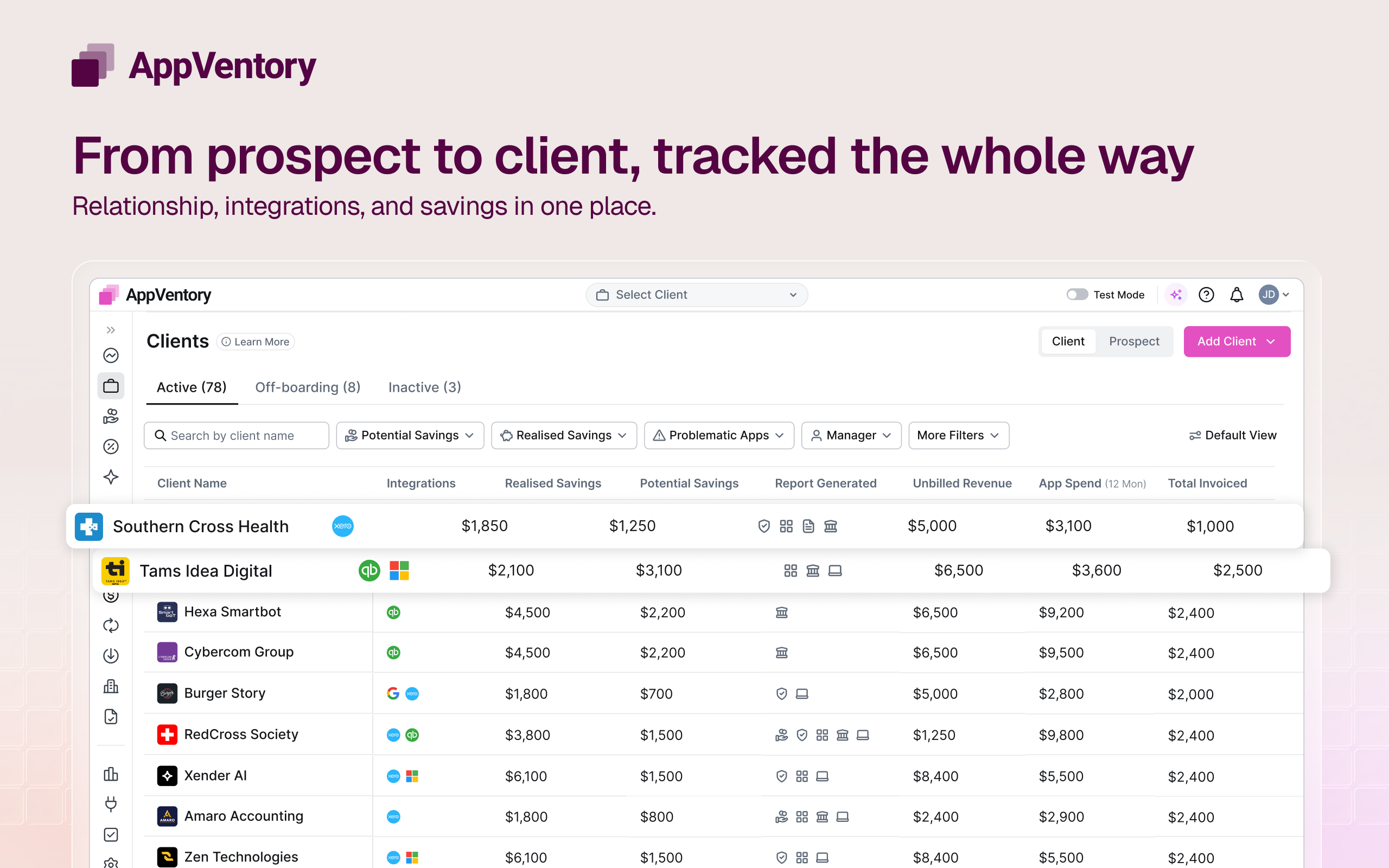
Portfolio-wide view: Run this across every Xero client you manage and see the whole picture — duplicate tools, overlapping contracts, standardisation opportunities you can take to the client.
Findings, not just data: The agent flags what's worth a conversation: renewals approaching, tools nobody uses, apps holding sensitive data, spend that should be recharged. That output is your review.
Recharge tracking: Identify which software costs should be recharged to clients or departments, and keep it accurate month to month.
What this means in practice
Connect Xero in the morning. Have your first client findings by the afternoon. Turn them into a quarterly review you can price. Repeat across the portfolio. Requirements: A Xero organisation with expense data and standard adviser access. Works with Xero Practice Manager workflows. Setup takes minutes per client.
Getting started
You'll be looking at your first client's software spend in about ten minutes.
1. Create your AppVentory account
Sign up at appventory.com. No card needed to start — you can connect a client and see findings before you commit.
2. Connect Xero
From your AppVentory dashboard, select Connect Xero and authorise the organisation you want to start with. AppVentory requests read access to expense and contact data — nothing else, and nothing gets written back to Xero.
3. Let the agent run
AppVentory reads through the account and surfaces the software and AI subscriptions it finds, maps them to the tools your client is actually using, and flags what's worth a conversation — renewals coming up, tools nobody uses, apps holding client data, spend that should be recharged.
4. Add the rest of your portfolio
Repeat for each Xero organisation you advise. Firms typically get their full client list connected in a single sitting — one added 36 clients in an evening.
5. Turn findings into a review
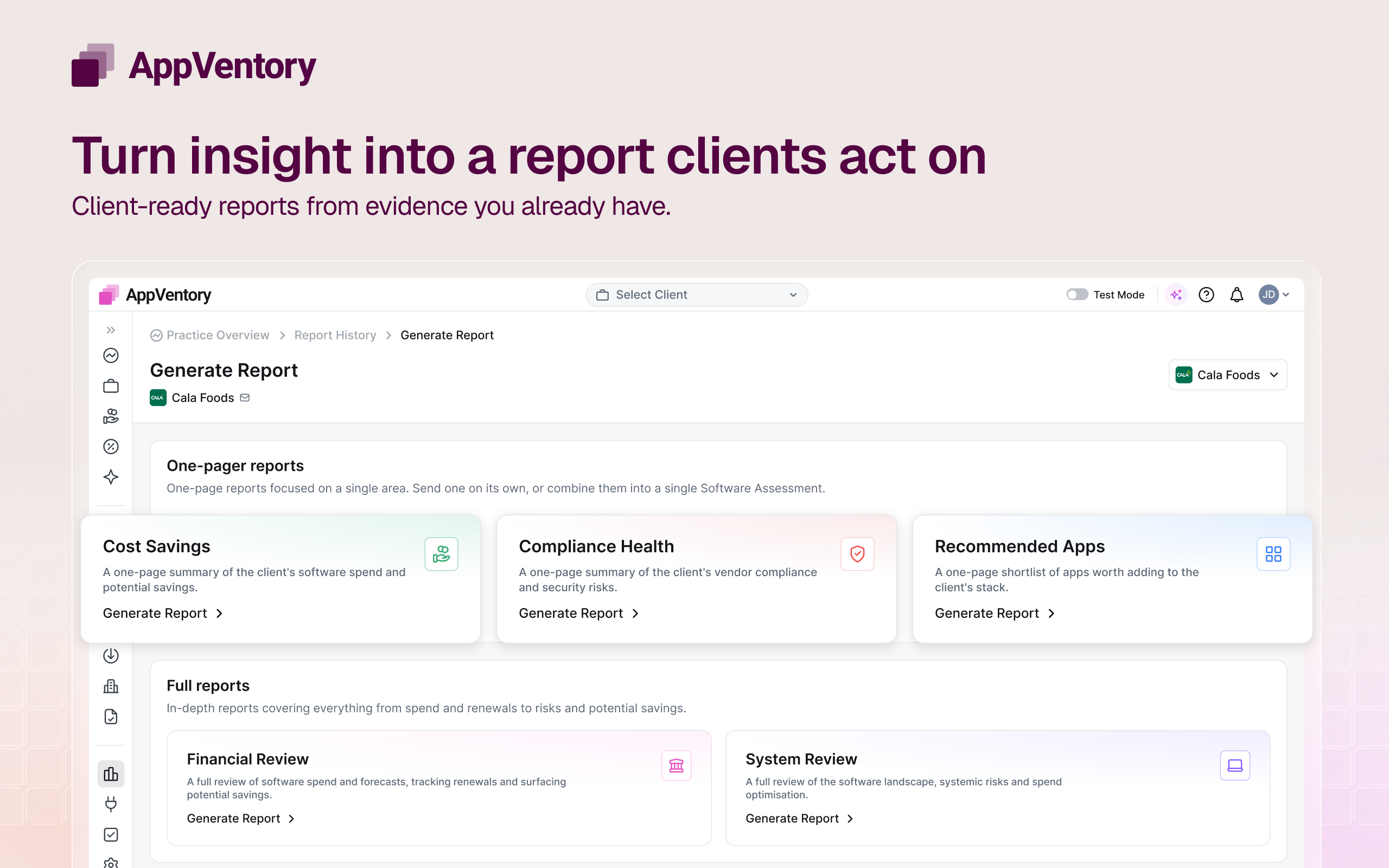
Export the findings as a client-ready assessment. That's your first advisory deliverable — price it as a quarterly business review or an annual assessment and start billing.
Ongoing
Budget about an hour a month. The agent keeps working in the background; you review what it finds and take it to the client.
Need a hand? Our team will walk you through your first client connection and help you shape the review you sell.
Book a demo with us today.
Reviews & ratings
Sort and filter
Most recent reviews
 FS
FSFinally something that helps our tech advisory
 PG
PGGreat App Idea
 LF
LF